Spatial Optimization of Ecosystem Services with InVEST: A Comprehensive Guide for Environmental Researchers and Planners
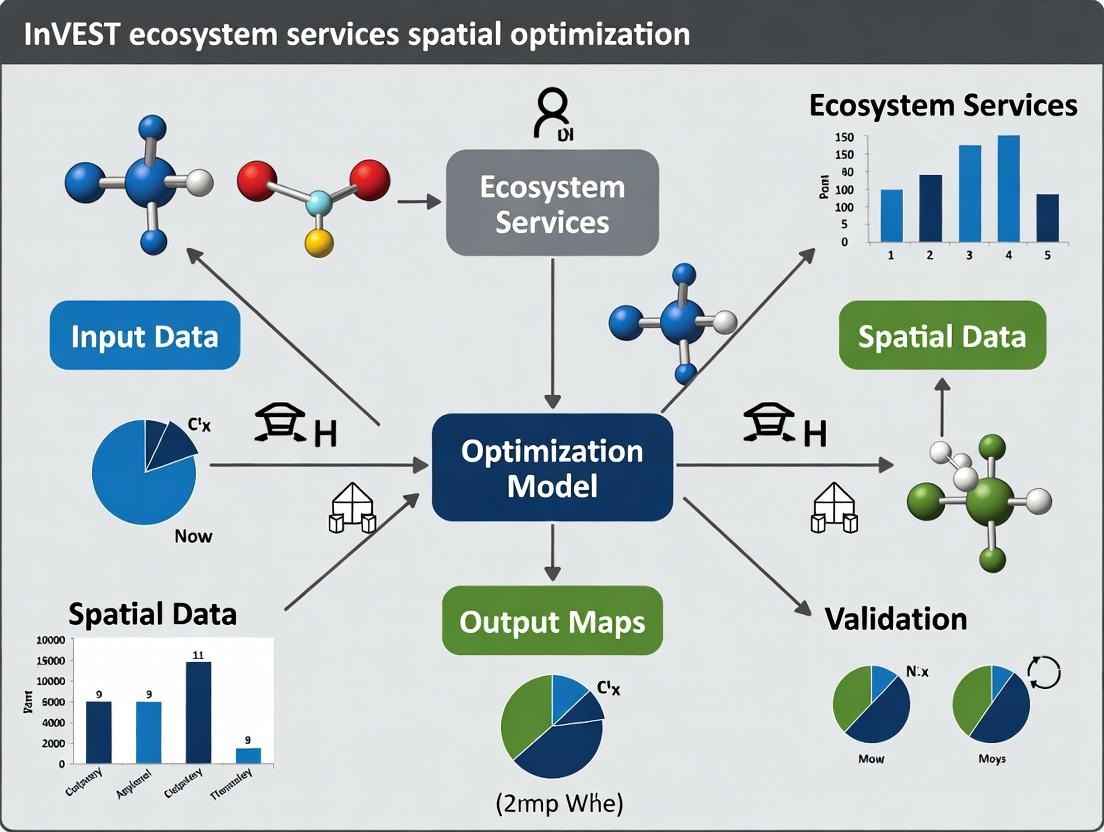
This article provides a detailed exploration of the InVEST (Integrated Valuation of Ecosystem Services and Tradeoffs) model for spatial optimization of ecosystem services.
Spatial Optimization of Ecosystem Services with InVEST: A Comprehensive Guide for Environmental Researchers and Planners
Abstract
This article provides a detailed exploration of the InVEST (Integrated Valuation of Ecosystem Services and Tradeoffs) model for spatial optimization of ecosystem services. Targeting researchers, scientists, and environmental professionals, we cover the foundational principles of ecosystem service mapping, advanced methodological workflows for multi-service optimization, troubleshooting of common computational and data challenges, and strategies for validating and comparing optimization outputs. This guide synthesizes current best practices and emerging techniques to empower informed land-use and conservation decision-making.
Mapping Nature's Value: A Primer on InVEST and Ecosystem Service Fundamentals
Definition and Categorization Framework
Ecosystem services (ES) are the direct and indirect contributions of ecosystems to human well-being. For spatial analysis, particularly within InVEST (Integrated Valuation of Ecosystem Services and Tradeoffs) model optimization research, a standardized classification is paramount.
Table 1: The CORE-ES Categorization for Spatial Analysis
| Category | Definition & Examples | Typical Spatial Proxy (InVEST) |
|---|---|---|
| Provisioning | Tangible goods obtained from ecosystems (e.g., food, water, raw materials). | Land use/cover (LULC) maps, crop yields, water yield models. |
| Regulating | Benefits obtained from regulation of ecosystem processes (e.g., climate regulation, flood control, water purification). | Biophysical models (e.g., carbon stocks, sediment retention, nutrient retention). |
| Cultural | Non-material benefits (e.g., recreation, aesthetic values, spiritual enrichment). | Proximity metrics, viewshed analysis, survey data layers. |
| Supporting (Foundation)* | Underlying processes necessary for producing all other ES (e.g., soil formation, nutrient cycling). | Habitat quality models, landscape connectivity indices. |
Note: In final accounting, supporting services are often quantified as intermediate values to avoid double-counting.
Application Notes for InVEST Optimization Research
- Spatial Explicitness: The primary advantage of InVEST is its generation of spatially explicit ES maps. Defining ES with measurable, spatially variable biophysical metrics is the first critical step.
- Dependency on LULC: Most InVEST models use LULC as a foundational input. A high-resolution, thematically accurate LULC map is the single most important data layer.
- Bundling and Trade-offs: Spatial optimization requires analyzing ES bundles (co-occurrence) and trade-offs. Defining ES in commensurate units (e.g., monetary, normalized scores) is often necessary for multi-objective optimization algorithms.
- Scale Dependency: Definitions of service supply, demand, and flow must be appropriate for the analysis scale (e.g., watershed, region).
Experimental Protocol: Establishing an ES Quantification Workflow for InVEST
Objective: To systematically quantify and map three key ecosystem services (Carbon Storage, Sediment Retention, Water Yield) for a given watershed using InVEST, as a precursor to spatial optimization.
Materials & Input Data:
- Geographic Boundary: Shapefile of the study watershed.
- LULC Map: Raster dataset (e.g., 30m resolution) with a defined classification system.
- Digital Elevation Model (DEM): Raster dataset for hydrological modeling.
- Soil Data: Raster or vector data for soil depth, texture, and hydrological group.
- Climate Data: Precipitation and evapotranspiration rasters (annual average).
- Biophysical Tables: CSV files linking LULC classes to model-specific parameters (e.g., carbon stocks, root depth, Manning's 'n').
- Software: InVEST suite (v3.14.0 or later), GIS software (QGIS/ArcGIS), Python/R for post-processing.
Procedure: Phase 1: Data Preparation & Model Setup
- Preprocess Spatial Data: Reproject all raster and vector data to a common, appropriate projected coordinate system. Clip to the watershed boundary plus a defined buffer.
- Develop Biophysical Tables:
- For the Carbon Storage model, compile literature and field data to assign total carbon density (Mg C/ha) in four pools (aboveground, belowground, soil, dead organic matter) for each LULC class.
- For the Sediment Retention (SDR) model, assign USLE-based parameters (C, P) and root depth to each LULC class.
- For the Seasonal Water Yield model, assign parameters (LULC hydrologic group, root depth, vegetation evapotranspiration) to each LULC class.
- Parameterize Models in InVEST: Load the required rasters and tables for each model. Set model-specific parameters (e.g., SDR maximum retention efficiency, Borselli k values, Z parameter for water yield).
Phase 2: Model Execution & Validation
- Run Models Sequentially: Execute the InVEST models. Document all parameter choices.
- Sensitivity Analysis: Perform a one-at-a-time sensitivity analysis on 3-5 key parameters per model to assess output variability.
- Validation: Where possible, compare model outputs with field measurements or independent datasets (e.g., compare modeled sediment export with gauge station data, carbon stocks with forest inventory plots). Calculate validation statistics (RMSE, NSE).
Phase 3: Output Standardization for Optimization
- Rescale Outputs: Resample all output ES maps to a consistent resolution and extent.
- Normalize Values: Normalize ES supply values for each pixel to a 0-1 scale across the watershed to facilitate comparison and bundling analysis.
- Create ES Bundles Map: Use cluster analysis (e.g., K-means) on the normalized ES layers to identify spatial patterns of co-occurrence (bundles).
Visualization: ES Spatial Analysis Workflow
Title: InVEST ES Spatial Analysis Workflow
The Scientist's Toolkit: Key Research Reagents & Materials
Table 2: Essential Toolkit for InVEST-Based ES Spatial Analysis
| Item | Function & Relevance |
|---|---|
| High-Resolution LULC Map | The foundational spatial dataset; determines habitat and land use context for all ES models. Accuracy directly impacts output validity. |
| Processed Digital Elevation Model (DEM) | Critical for hydrological routing, slope calculation, and terrain analysis in models like SDR and Water Yield. |
| Field-Calibrated Biophysical Tables | CSV files that translate LULC classes into model parameters. These tables are the "reagents" that convert land cover into ecosystem service estimates. |
| Climate Data Rasters (Precip, ET) | Drive the water balance and primary productivity calculations. Source (e.g., WorldClim, local stations) and temporal resolution must be justified. |
| Soil Property Datasets | Provide key inputs for water retention, carbon storage, and sediment erosion calculations (e.g., soil depth, texture, organic content). |
| Validation Datasets | Independent measurements (e.g., stream gauge data, forest inventory plots, sediment cores) used to calibrate models and assess output uncertainty. |
| Python/R Script Library | For automated pre- and post-processing, batch model runs, sensitivity analysis, and statistical analysis of ES bundles and trade-offs. |
Historical Development and Core Philosophy
The Integrated Valuation of Ecosystem Services and Tradeoffs (InVEST) model suite was developed by the Natural Capital Project (NatCap), a partnership founded in 2006 between Stanford University, the University of Minnesota, The Nature Conservancy, and the World Wildlife Fund. The core philosophy is to provide spatially explicit, decision-support tools that model and map the provision, delivery, and economic value of ecosystem services (ES). This enables researchers and policymakers to quantify trade-offs associated with alternative land-use and coastal management scenarios, aligning environmental sustainability with human development goals.
The suite comprises over 20 distinct models categorized by habitat or service type. Key modules relevant to spatial optimization research are summarized below.
Table 1: Core InVEST Modules for Ecosystem Services Assessment
| Module Category | Example Modules | Primary Outputs | Spatial Optimization Relevance |
|---|---|---|---|
| Terrestrial | Carbon Storage & Sequestration, Sediment Retention, Water Yield, Pollination | Tons of C, tons of sediment retained, mm of water, pollinator abundance | Identifies priority areas for conservation/restoration to maximize service provision. |
| Marine & Coastal | Coastal Vulnerability, Habitat Risk Assessment, Wave Energy Reduction | Relative vulnerability index, cumulative risk score, wave height reduction | Optimizes marine spatial planning for risk reduction and habitat protection. |
| Freshwater | Nutrient Delivery Ratio, Fisheries | Nutrient loads (N, P), fishery biomass | Targets nutrient management and fishery sustainability. |
| Urban & Landscape | Scenic Quality, Urban Cooling | Visual quality score, cooling degree-hours | Informs green infrastructure placement for human well-being. |
Table 2: Quantitative Data from Representative InVEST Applications (Illustrative)
| Study Focus | Model Used | Key Quantitative Result | Optimization Implication |
|---|---|---|---|
| Carbon Sequestration Planning | Carbon Storage & Sequestration | Identified 15% of landscape storing 60% of total carbon. | Targeted reforestation of these areas maximizes carbon gains. |
| Sediment Control for Water Treatment | Sediment Retention | Optimal filter strips reduced sediment export by 40% vs. baseline. | Cost-effective placement of natural infrastructure. |
| Coastal Protection Planning | Coastal Vulnerability | Mangrove restoration reduced vulnerability index for 25 km of coastline by 30%. | Prioritized restoration sites for risk reduction. |
Application Notes & Protocols for Spatial Optimization Research
Within a thesis on spatial optimization, InVEST serves as the biophysical modeling engine to quantify service supply under different scenarios, the outputs of which become inputs for optimization algorithms (e.g., linear programming, genetic algorithms).
Protocol 3.1: Foundational Workflow for Coupling InVEST with Optimization
- Define Optimization Objective & Constraints: e.g., Maximize total sediment retention subject to a budget constraint of restoring ≤ 10% of the watershed area.
- Prepare Geospatial Inputs: Collect and pre-process required raster/vector data (LULC, DEM, soil, precipitation, etc.) to InVEST specifications.
- Run InVEST Baseline Scenario: Execute relevant model (e.g., Sediment Retention) for current land-use to establish baseline service maps.
- Generate Alternative Land-Use Scenarios: Create raster layers representing potential restoration or management interventions (e.g., converting agriculture to forest).
- Run InVEST for Each Alternative: Model service provision for each scenario layer.
- Calculate Service Change Matrix: For each planning unit (pixel/polygon), compute the change in service provision per intervention.
- Formalize Optimization Problem: Input the change matrix, costs, and constraints into optimization software (e.g., PuLP in Python, prioritizr in R).
- Solve & Validate: Obtain optimal spatial allocation of interventions. Validate ecological plausibility of the solution.
Title: InVEST-Optimization Coupling Workflow
Protocol 3.2: Calibration & Validation of Key Biophysical Models
- Sediment Retention Model Calibration:
- Data Collection: Gather observed sediment load data at watershed outlet(s) from monitoring stations.
- Parameterization: Use local literature or field data to refine the Universal Soil Loss Equation (USLE) factors (C, P) and sediment retention efficiency.
- Model Run & Comparison: Run the InVEST model with calibrated parameters. Compare modeled vs. observed sediment export at the outlet.
- Statistical Validation: Calculate performance metrics (Nash-Sutcliffe Efficiency, R²). Iteratively adjust parameters until model performance is acceptable (e.g., NSE > 0.5).
Title: Sediment Model Calibration Protocol
The Scientist's Toolkit: Essential Research Reagent Solutions
Table 3: Key Tools & Data for InVEST-Based Spatial Optimization Research
| Item / "Reagent" | Function & Purpose | Typical Source / Example |
|---|---|---|
| Land Use/Land Cover (LULC) Raster | The foundational map defining ecosystems/habitats; primary driver of service provision. | National land cover datasets (e.g., USGS NLCD, ESA CCI), classified satellite imagery. |
| Digital Elevation Model (DEM) | Determines hydrological flow paths, slope, and landscape position for hydrologic and erosion models. | SRTM, ASTER GDEM, LiDAR-derived DEMs. |
| Biophysical Table (CSV) | Links LULC classes to model-specific parameters (e.g., C storage pools, USLE C factor, root depth). | Literature review, field measurements, soil/vegetation databases. |
| Climate Data (Precip, PET) | Drives water balance calculations for hydrologic services (Water Yield, NDR). | WorldClim, CHIRPS, local meteorological stations. |
| Polygon of Interest (Shapefile/GeoJSON) | Defines the study area boundary (watershed, administrative region). | Created in GIS software (QGIS, ArcGIS). |
| Python/R Environment with Geospatial Libs | Platform for data preprocessing, automating InVEST runs, and executing optimization algorithms. | geopandas, rasterio, PyInVEST, GDAL, PuLP, prioritizr. |
| Optimization Solver | Computational engine to solve the spatial allocation problem formulated from InVEST outputs. | CPLEX, Gurobi, OR-Tools, or open-source alternatives in Python/R. |
Application Notes
Within InVEST (Integrated Valuation of Ecosystem Services and Tradeoffs) model research for spatial optimization of ecosystem services, three core spatial inputs are foundational. Their accuracy and structure directly determine the reliability of model outputs, which in turn inform decisions in fields ranging from conservation planning to pharmaceutical bioresource prospecting.
- Land Use/Land Cover (LULC) Data: This raster or vector dataset is the primary spatial driver for all InVEST models. Each pixel or polygon is assigned a discrete code representing a specific land cover class (e.g., deciduous forest, urban, cropland). For optimization research, multi-temporal LULC maps are critical to analyze change and project future scenarios. Current high-resolution sources (≤10m) include ESA WorldCover, Sentinel-2 derived products, and national land cover databases like the USGS NLCD.
- Biophysical Tables: These are comma-separated value (.csv) tables that translate LULC codes into quantitative parameters for ecosystem service modeling. Each row corresponds to a LULC class, and columns contain model-specific coefficients (e.g., nitrogen retention efficiency, carbon storage in biomass, habitat suitability indices). Optimization studies require careful calibration of these values, often through meta-analysis of local literature or field sampling.
- Ancillary Spatial Data Requirements: Different InVEST services require specific supplemental spatial data. For example, the Nutrient Delivery Ratio model requires a digital elevation model (DEM), precipitation data, and soil hydrologic group rasters. The Habitat Quality model requires vector data on threat sources and their influence distances. The resolution and projection of these datasets must be harmonized with the LULC data.
Table 1: Summary of Core InVEST Model Inputs and Representative Data Sources (2023-2024)
| Input Category | Key Parameters/Attributes | Example Current Data Sources (Resolution/Temporal) | Role in Spatial Optimization Research |
|---|---|---|---|
| LULC Map | Class codes, classification schema (e.g., IPCC, Anderson Level II) | ESA WorldCover 2021 (10m, annual), USGS NLCD (30m, 5-yr), Copernicus HRLs (10m, 3-yr) | Baseline for scenario development; used to constrain land use change options in optimization algorithms. |
| Biophysical Table | LULC code, carbon stocks (Mg/ha), crop pollination dependence, nitrogen retention efficiency, runoff coefficient | Model defaults (from literature), regionally calibrated values from field studies & meta-analysis | Serves as the coefficient matrix in optimization functions; sensitivity analysis on these values is critical. |
| Ancillary Spatial Data | Elevation (m), slope (%), annual precipitation (mm), soil texture, threat source locations | NASADEM (30m), CHIRPS Precipitation (5km, daily), SoilGrids (250m), OpenStreetMap (vector) | Defines the biophysical context and constraints for ecosystem service flows in the optimization landscape. |
Experimental Protocols
Protocol 2.1: Calibration of a Biophysical Table for Carbon Storage & Sequestration Optimization
Objective: To empirically determine aboveground, belowground, soil, and dead organic matter carbon stocks for dominant LULC classes in a study region to replace default InVEST model values.
Materials: See "The Scientist's Toolkit" below. Methodology:
- Stratified Sampling Design: Using the baseline LULC map, stratify the study area. Randomly select a minimum of 5 sample plots (e.g., 30x30m) per target LULC class (e.g., mature pine forest, secondary shrubland, pasture).
- Aboveground Biomass (AGB) Estimation:
- Within each plot, measure Diameter at Breast Height (DBH) and species for all trees >10cm DBH.
- Calculate AGB per tree using allometric equations specific to the species or biome (e.g., Chave et al. 2014 pantropical equations).
- Sum AGB for all trees in the plot and extrapolate to Mg per hectare.
- Belowground Biomass (BGB) Estimation: Apply a root-to-shoot ratio (R) from the IPCC guidelines to the measured AGB: BGB (Mg/ha) = AGB * R.
- Soil Organic Carbon (SOC) Sampling:
- At 3 sub-points per plot, use a soil auger to collect cores from 0-30cm depth.
- Pool samples per plot. Air-dry, sieve (2mm), and homogenize.
- Determine SOC concentration (%) via dry combustion (Elemental Analyzer). Convert to stock (Mg C/ha) using bulk density measurements.
- Data Integration: Calculate mean carbon stock values (with standard error) for each pool (AGB, BGB, SOC, dead wood) per LULC class. Populate the InVEST Carbon Storage & Sequestration biophysical table.
- Model Validation: Run the InVEST model with calibrated values. Compare total estimated regional carbon stock against independent regional inventories or published values for a sanity check.
Protocol 2.2: Generating a Future LULC Scenario for Optimization Constraints
Objective: To create a spatially explicit, plausible 2050 LULC scenario under a "business-as-usual" trend for use as a constraint layer in InVEST service optimization.
Materials: Time-series LULC maps (e.g., 2000, 2010, 2020), GIS software with change analysis modules (e.g., QGIS, ArcGIS Pro, TerrSet). Methodology:
- Change Analysis: Overlay LULC maps from 2000 and 2020. Compute a transition probability matrix and a Markov chain model to quantify the rate of change from each class to every other class.
- Driver Variable Identification: Compile spatial driver variables (e.g., distance to roads, slope, protected areas, population density) hypothesized to influence observed transitions.
- Land Change Model Calibration: Use a machine learning model like Cellular Automata (CA) or a Logistic Regression within a framework like the Land Change Modeler (LCM). Train the model on the 2000-2010 changes, using driver variables as predictors.
- Model Validation: Predict the 2020 LULC using the model trained on 2000-2010 data. Compare the prediction to the actual 2020 map using a Kappa coefficient of agreement. Proceed only if validation metrics are acceptable (>0.7).
- Scenario Projection: Using the calibrated model and transition probabilities, project the LULC to the 2050 time horizon under the observed trend. This projected map defines the "envelope of possibility" for spatial optimization algorithms, which will then allocate land uses within this projected change pattern to maximize specific ecosystem service bundles.
Mandatory Visualization
Diagram 1: InVEST Model Inputs and Optimization Workflow
Diagram 2: Structure of a Biophysical Table in InVEST
The Scientist's Toolkit
Table 2: Key Research Reagent Solutions for Spatial Input Development & Calibration
| Item | Function in InVEST Optimization Research | Example/Specification |
|---|---|---|
| QGIS with InVEST Plugin | Open-source GIS platform for pre-processing LULC and ancillary data, running InVEST models, and visualizing results. Required for harmonizing projections/clipping. | Version 3.28+, with Processing Toolbox and Semi-Automatic Classification Plugin. |
| Google Earth Engine (GEE) | Cloud platform for accessing and processing vast remote sensing archives (e.g., Landsat, Sentinel) to generate custom, up-to-date LULC classifications. | JavaScript or Python API for large-scale, temporal analysis. |
R with raster/terra & sf packages |
Statistical programming environment for advanced spatial analysis, calibration of biophysical values, and running optimization algorithms on InVEST outputs. | Used for Markov Chain analysis, spatial regression, and multi-objective optimization (e.g., mco package). |
| Diameter Tape & Clinometer | Essential field tools for measuring tree DBH and height, which are inputs to allometric equations for biomass/carbon stock estimation. | Forestry-grade steel tape and digital clinometer. |
| Soil Probe/Auger & Elemental Analyzer | For collecting standardized soil cores and quantifying Soil Organic Carbon (SOC) concentration via dry combustion. Critical for biophysical table calibration. | 3cm diameter auger for 0-30cm cores; Costech or vario MICRO cube Elemental Analyzer. |
| Land Change Modeling Software | To project future LULC scenarios that serve as constraints in optimization. | TerrSet's Land Change Modeler (LCM), DINAMICA EGO, or FRAGSTATS for landscape metrics. |
| High-Resolution DEM | Digital Elevation Model used for calculating slope, flow direction, and watersheds in hydrological and erosion control InVEST models. | NASADEM (30m), EU-DEM (25m), or LiDAR-derived (1-5m) for fine-scale studies. |
Application Notes: Objective Definition for Multi-Service Spatial Optimization
Within InVEST (Integrated Valuation of Ecosystem Services and Trade-offs) model-based spatial optimization research, defining clear, quantifiable, and non-conflicting objectives is the critical first step. This determines the feasibility and relevance of any Pareto-optimal solution set for land-use planning. The following notes contextualize primary ecosystem service objectives.
1.1 Core Ecosystem Service Objectives & Their Quantification Each objective must be defined by a specific, spatially explicit metric that can be calculated by an InVEST model or complementary tool.
Table 1: Primary Optimization Objectives, Metrics, and InVEST Model Linkages
| Objective | Quantitative Metric | Primary InVEST Model | Key Spatial Inputs |
|---|---|---|---|
| Biodiversity | Habitat Quality Index (0-1); Species Richness; Habitat Patch Connectivity | Habitat Quality | LULC, Threat Layers, Threat Sensitivity, Habitat Accessibility |
| Carbon Storage | Total Megagrams of Carbon (Mg C) sequestered and stored in four pools: aboveground, belowground, soil, dead organic matter. | Carbon Storage & Sequestration | LULC, Carbon Stock Tables by LULC class |
| Water Purification | Annual retained nutrients (kg/yr): Nitrogen (N) and/or Phosphorus (P) retained by the landscape. | Nutrient Delivery Ratio (NDR) | LULC, DEM, Runoff Proxy, Nutrient Loads, Retention Efficiency |
| Coastal Protection | Annual avoided wave-induced erosion (tons of sediment/yr) and/or monetary value of protected coastal assets. | Coastal Vulnerability | DEM, Landforms, Geomorphology, Wind/Wave Exposure, Habitat Rasters |
1.2 Conflict and Synergy Analysis Objectives frequently conflict (e.g., afforestation for carbon may reduce water yield). Initial trade-off analysis should be conducted via:
- Biophysical Production Possibility Frontiers: Running InVEST models for extreme single-objective land-use scenarios to bound the solution space.
- Spatial Correlation Mapping: Identifying areas of high synergy (e.g., high carbon and high biodiversity) vs. high trade-off.
Experimental Protocols for Objective Calibration & Validation
Protocol 2.1: Calibrating Habitat Quality Objectives with Field Biodiversity Data
- Aim: To ground-truth and calibrate the InVEST Habitat Quality index using empirical species occurrence data.
- Materials: Field survey data (point counts, transects, camera traps), species classification list, GIS software.
- Method:
- Calculate the Habitat Quality index for the study area using baseline LULC.
- Overlay field survey locations (e.g., 100×100m grid cells with observed species richness).
- Perform a statistical regression (e.g., Generalized Linear Model) between the observed species richness (response variable) and the modeled Habitat Quality index, plus covariates (distance to road, patch size).
- Use model results to adjust threat weights and sensitivities in the InVEST model to improve predictive power (R²).
- Validate using a withheld subset (30%) of field data.
Protocol 2.2: Validating Carbon Stock Estimates using Allometric Equations & Soil Cores
- Aim: To validate the carbon pool values assigned to LULC classes in the InVEST Carbon model.
- Materials: Soil corer, dendrometer, plant identification guide, elemental analyzer, allometric equations for local tree species.
- Method:
- Stratify sampling by dominant LULC types (e.g., mature forest, plantation, grassland).
- Above/Belowground Biomass: In forest plots, measure tree DBH and height. Apply species-specific allometric equations to calculate biomass. Convert to carbon using a default (0.47) or measured factor.
- Soil Organic Carbon (SOC): Collect soil cores (0-30cm depth) from multiple sub-plots within each LULC sample. Dry, grind, and analyze SOC content via elemental analysis or loss-on-ignition.
- Compare measured mean carbon stocks (Mg C/ha) per LULC class with the values in the InVEST lookup table. Statistically adjust table values if bias is detected.
Protocol 2.3: Quantifying Nutrient Retention Efficiency for NDR Model Calibration
- Aim: To derive locally calibrated nutrient retention efficiency values for LULC classes.
- Materials: Water sampling kits, nitrate & phosphate test assays, flow meter, riparian zone vegetation survey data.
- Method:
- Select paired upstream-downstream monitoring points along a stream reach bordered by a specific LULC (e.g., forest buffer, agricultural field).
- Collect water samples during baseflow and stormflow events. Analyze for Total N and Total P concentrations.
- Calculate nutrient load (concentration * flow). The percent retention by the intervening LULC =
(1 - (Downstream Load / Upstream Load)) * 100. - Repeat for multiple LULC types. Use the derived retention efficiencies to replace default values in the InVEST NDR model's Biophysical Table.
Visualizations
Title: Ecosystem Service Optimization Workflow
Title: Protocol-to-Model Calibration Pathway
The Scientist's Toolkit: Key Research Reagent Solutions
Table 2: Essential Materials for Field Validation & Model Ground-Truthing
| Item / Solution | Function in Protocol | Example Application |
|---|---|---|
| Elemental Analyzer | Precisely measures the percentage of Carbon (C) and Nitrogen (N) in solid samples. | Quantifying Soil Organic Carbon (SOC) for Protocol 2.2. |
| Spectrophotometric Nutrient Assay Kits (e.g., Hach, Merck) | Colorimetric determination of Nitrate, Nitrite, Phosphate, and Ammonium concentrations in water samples. | Measuring nutrient loads for NDR model calibration in Protocol 2.3. |
| Dendrometer & Altimeter | Measures tree Diameter at Breast Height (DBH) and height non-destructively. | Collecting data for allometric biomass calculations in Protocol 2.2. |
| Soil Corer (standard & volumetric) | Extracts standardized soil columns for bulk density and compositional analysis. | Collecting soil samples for SOC analysis in Protocol 2.2. |
| GPS/GNSS Receiver (Survey-grade) | Provides high-precision (<1m) spatial coordinates for sample plots and transects. | Georeferencing all field data points for accurate GIS integration. |
| Species Distribution Databases (e.g., GBIF, IUCN Red List) | Provides data on species occurrence and threat status for model parameterization. | Informing threat sensitivity scores and validating habitat maps in Protocol 2.1. |
R/Python Optimization Libraries (e.g., mco, DEoptim, PyGMO) |
Provides algorithms for solving multi-objective spatial optimization problems. | Implementing the optimization model linking calibrated InVEST outputs. |
Application Notes: The PPF in Ecosystem Services Optimization for InVEST Models
Within the context of InVEST (Integrated Valuation of Ecosystem Services and Trade-offs) model research, the Production Possibilities Frontier (PPF) serves as a critical analytical framework for spatial optimization. It explicitly visualizes the trade-offs between competing ecosystem services—such as carbon sequestration versus water yield, or biodiversity habitat quality versus agricultural production—under land-use constraints. For researchers and drug development professionals, this paradigm is analogous to optimizing resource allocation in R&D pipelines, where trade-offs exist between pursuing multiple therapeutic targets with a finite budget and capacity.
The PPF curve delineates the maximum obtainable output combinations, with points on the frontier representing efficient allocations. Points inside the curve indicate inefficiency in spatial resource configuration, while points outside are unattainable given current land cover and biophysical constraints. The shape of the PPF (concave to the origin) illustrates the law of increasing opportunity costs, a concept directly transferable to portfolio decisions in pharmaceutical development.
The following table summarizes hypothetical but representative data generated from an InVEST model scenario analysis for a watershed, demonstrating core trade-offs.
Table 1: Trade-off Between Carbon Storage and Water Yield in a Watershed Scenario
| Scenario Name | Land Use Focus | Total Carbon Storage (Megatons) | Annual Water Yield (Million m³) | Opportunity Cost (Δ Carbon / Δ Water) |
|---|---|---|---|---|
| Max Carbon | Forest conservation & restoration | 12.5 | 850 | — |
| Balanced Mix | Mixed agriculture & forest | 10.2 | 1100 | 0.0092 MT/m³ |
| Max Water Yield | Intensive agriculture | 7.1 | 1350 | 0.0124 MT/m³ |
Table 2: Analogy to Drug Development Pipeline Resource Allocation
| R&D Portfolio Configuration | Projected Oncology Drug Leads | Projected Neurology Drug Leads | Total Estimated Resource Utilization (%) |
|---|---|---|---|
| Portfolio A: Oncology Focus | 8 | 2 | 100 |
| Portfolio B: Balanced | 5 | 5 | 100 |
| Portfolio C: Neurology Focus | 2 | 7 | 100 |
Experimental Protocols for PPF Construction & Analysis
Protocol 1: Generating the PPF from InVEST Model Simulations
Objective: To empirically derive a PPF for two key ecosystem services using spatial optimization outputs. Methodology:
- Scenario Definition: Define 10-15 distinct land-use/land-cover (LULC) scenarios spanning the gradient from maximizing Service A (e.g., Carbon Storage) to maximizing Service B (e.g., Water Yield).
- InVEST Model Runs: Execute the required InVEST models (e.g., Carbon Storage, Annual Water Yield) for each LULC scenario using identical biophysical input parameters (soil, climate, DEM).
- Data Extraction: For each scenario run, extract the basin-wide or regional total for the two target ecosystem services.
- Frontier Identification: Plot the resulting data pairs (Service A, Service B). Use a convex hull algorithm or manual identification to select the outermost points that form the efficient frontier. Interpolate between these points to create the PPF curve.
- Calculation of Marginal Rate of Transformation (MRT): Compute the slope between consecutive efficient points on the frontier. The MRT quantifies the opportunity cost of gaining one more unit of Service B in terms of Service A lost.
Protocol 2: Assessing Trade-off Curvature and Implications
Objective: To interpret the concavity of the PPF and its implications for spatial planning. Methodology:
- Segment Analysis: Divide the PPF into three segments: near the Service A axis, middle, and near the Service B axis.
- Calculate Segment MRTs: Compute the average MRT for each segment.
- Interpretation: An increasing MRT (steeper slope near the Service B axis) confirms the law of increasing opportunity costs. This indicates that spatial optimization becomes progressively more "costly" in terms of the other service foregone, guiding against extreme specialization in land use.
- Policy/Portfolio Testing: Overlay proposed management plans or R&D portfolio allocations as points on the graph. Assess their relative efficiency (on, inside, or far from the frontier) to guide decision-making.
Mandatory Visualizations
PPF for Two Ecosystem Services with Allocation States
PPF Construction from InVEST Model Workflow
The Scientist's Toolkit: Key Research Reagent Solutions
Table 3: Essential Materials for InVEST-Based PPF Analysis
| Item / Solution | Function in PPF Research | Application Note |
|---|---|---|
| InVEST Software Suite | Core modeling platform to quantify ecosystem service production under different land-use scenarios. | Requires Python. Individual models (e.g., Carbon, Water Yield, Habitat Quality) are run separately for each scenario. |
| Geospatial Data (LULC, DEM, Soil, Climate) | Foundational inputs for InVEST models. LULC scenarios are the primary experimental variable. | Resolution and accuracy directly impact PPF validity. Time-series data allows for temporal PPF analysis. |
| Spatial Optimization Software (e.g., Marxan, PuLP) | Used to algorithmically generate efficient land-use scenarios that lie on the PPF. | Connects the PPF concept to actionable spatial plans. Marxan with Zones is particularly relevant. |
| Convex Hull Algorithm Script | Computational method to identify the outermost points from scenario results to delineate the PPF. | Can be implemented in Python (SciPy) or R. Essential for objective frontier identification from many data points. |
| Trade-off Analysis Metrics (MRT, Elasticity) | Quantitative measures derived from the PPF slope to compare opportunity costs across the frontier. | Critical for interpreting the curvature of the PPF and the severity of trade-offs between services. |
From Data to Decisions: A Step-by-Step Workflow for Spatial Optimization with InVEST
Within the broader thesis on InVEST model ecosystem services spatial optimization research, the pre-processing and harmonization of Geographic Information System (GIS) data represent the foundational, critical step. This stage determines the validity, comparability, and optimization potential of all subsequent analyses. For researchers, scientists, and professionals in drug development (particularly in natural product discovery and ecological pharmacology), robust geospatial data on ecosystem services (e.g., water yield, sediment retention, carbon sequestration, habitat quality) is essential for linking ecological landscape function to bioactive resource availability. This document outlines the application notes and protocols for establishing a replicable pre-processing pipeline.
Key Data Requirements and Harmonization Standards
The InVEST (Integrated Valuation of Ecosystem Services and Tradeoffs) model suite requires spatially explicit input rasters and vectors with strict consistency in projection, extent, resolution, and formatting. Discrepancies lead to model failure or erroneous outputs for optimization algorithms.
Table 1: Mandatory Harmonization Parameters for InVEST Optimization Inputs
| Parameter | Specification | Rationale |
|---|---|---|
| Coordinate Reference System (CRS) | Aligned Projected CRS (e.g., UTM Zone). Geographic (lat/lon) not recommended. | Ensures accurate area and distance calculations; mandatory for raster alignment. |
| Spatial Extent | Identical bounding coordinates (xmin, ymin, xmax, ymax) for all raster layers. | Defines the consistent study area for all analyses and optimization runs. |
| Cell Size & Resolution | Identical cell size (e.g., 30m x 30m) for all raster layers. | Prevents misalignment of pixels; critical for map algebra and weighting. |
| NoData Value | Consistently defined (e.g., -9999) and handled across all rasters. | Ensures correct interpretation of missing data during calculations. |
| File Format | GeoTIFF (.tif) for rasters; GeoPackage (.gpkg) or Shapefile (.shp) for vectors. | Ensures compatibility and preserves georeferencing information. |
| Temporal Alignment | Data layers should represent concurrent or logically consistent time frames (e.g., same year for land use and precipitation). | Maintains ecological realism in service valuation. |
Table 2: Exemplar Quantitative Data Specifications for a Watershed Optimization Study
| Data Layer | Source Example | Target Resolution | Required Pre-Processing |
|---|---|---|---|
| Land Use/Land Cover (LULC) | NLCD (30m) or Sentinel-2 (10m) | Resampled to 30m | Reclassification to InVEST LULC codes; edge smoothing. |
| Digital Elevation Model (DEM) | SRTM (30m) or LiDAR (3m) | Resampled to 30m | Pit filling, slope calculation, flow direction derivation. |
| Precipitation | PRISM (4km) or WorldClim (1km) | Downscaled to 30m | Statistical downscaling using co-kriging with elevation. |
| Soil Properties (K, AWC) | SSURGO / gSSURGO | Aggregated to 30m | Spatial join and averaging of polygon data to raster. |
| Biophysical Table | CSV file (non-spatial) | N/A | Must contain exact LULC codes with service-specific parameters (e.g., Kc, root depth). |
| Observed Point Data (Validation) | Field sampling / Monitoring stations | Vector point layer | Projection to match analysis CRS; attribute assignment. |
Experimental Protocols for Data Preparation
Protocol 3.1: Raster Harmonization Workflow
Objective: To produce a stack of perfectly aligned raster layers for InVEST.
- Define Master Template: Choose the highest-resolution raster (e.g., the LULC layer) as the master template for extent and resolution.
- Reproject: Use
gdalwarp(GDAL) or theProject Rastertool (ArcGIS) to reproject all other rasters to the target CRS. Resampling method should bebilinearfor continuous data (e.g., precipitation) andnearest neighborfor categorical data (e.g., LULC). - Resample and Clip: Using the master template, resample and clip all rasters to the identical extent and cell size. The
Align Rasterstool in ArcGIS orrasterio.warp.reprojectin Python is suitable. - NoData Assignment: Explicitly assign a uniform NoData value using the
Set NullorContools. - Verify Alignment: Perform a difference test (
Raster Calculator:Raster1 - Raster1should be zero everywhere; misalignment will yield artifacts).
Protocol 3.2: LULC Reclassification and Validation
Objective: To transform a source LULC map into a validated, InVEST-compliant layer.
- Crosswalk Development: Create a crosswalk table linking source LULC class values to InVEST-specific class IDs and names.
- Execute Reclassification: Apply the crosswalk using the
ReclassifyorLookuptool. - Accuracy Assessment: Using a stratified random sample of points (n≥300), compare the reclassified map to high-resolution imagery or ground truth data. Calculate a confusion matrix and report Cohen's Kappa statistic (target >0.80).
- Edge Cleaning: Apply a majority filter (3x3 window) to reduce speckling and spurious pixels, unless high-edge complexity is ecologically critical.
Protocol 3.3: Derivation of Hydrological Inputs from DEM
Objective: To generate the flow direction and watershed layers required for hydrologic models (e.g., Seasonal Water Yield, Nutrient Delivery Ratio).
- DEM Preparation: Fill sinks in the raw DEM using the
Filltool (ArcGIS) orwhitebox::fill_depressions. - Flow Direction: Calculate flow direction using the D8 algorithm (
Flow Directiontool). - Flow Accumulation: Calculate flow accumulation (
Flow Accumulationtool). - Stream Delineation: Define a flow accumulation threshold (e.g., 1% of max cells) to derive a stream network (
Contool). - Watershed Delineation: For point(s) of interest (e.g., reservoir, sampling location), use the
Snap Pour Pointtool followed byWatershedtool.
Visualization of the Pre-Processing Pipeline
Diagram Title: GIS Data Harmonization and Processing Workflow for InVEST
The Scientist's Toolkit: Essential Research Reagents & Materials
Table 3: Key Software and Data Solutions for GIS Pre-Processing
| Item | Function/Benefit | Example/Note |
|---|---|---|
| GDAL/OGR Command Line Tools | Open-source library for raster/vector translation and processing. The backbone for scripting reproducible workflows. | Used for gdalwarp (reprojection), gdal_calc.py (map algebra). |
| QGIS with Processing Toolbox | Open-source GIS platform. Provides a GUI for core tools and access to advanced algorithms (GRASS, SAGA). | Essential for visual QC, plugin integration (e.g., LecoS for landscape metrics). |
| ArcGIS Pro with Spatial Analyst | Commercial suite offering robust, validated spatial analysis tools and seamless geodatabase management. | Align Rasters, Raster Calculator, Hydrology Toolset. |
| Python Scripting Environment | For automating pipelines using arcpy, rasterio, geopandas, numpy. Critical for batch processing and optimization loops. |
Jupyter Notebooks provide an ideal documented workflow environment. |
R with sf, terra, raster packages |
Statistical computing environment powerful for spatial statistics, accuracy assessment, and modeling. | Used for statistical downscaling of climate data and Kappa calculation. |
| High-Performance Computing (HPC) Access | For processing large datasets (e.g., continental scale, LiDAR) or running hundreds of optimization iterations. | Slurm job arrays can parallelize InVEST runs across scenarios. |
| Cloud-Based Data Catalogs | Reliable sources for authoritative base data. | Google Earth Engine, USGS EarthExplorer, Copernicus Open Access Hub. |
Application Notes: Framework for Scenario Development in Ecosystem Services Optimization
Scenario planning is a foundational step in InVEST model applications, enabling comparative assessment of ecosystem services (ES) provision under alternative future land-use and management decisions. Within the context of spatial optimization research for ES, scenarios are not predictions but plausible, structured, and internally consistent narratives about how the future might unfold. They provide the spatial and thematic inputs required for model runs and subsequent optimization algorithms.
Core Scenario Definitions:
- Baseline Scenario: Represents the current or recent historical state. It serves as the reference point against which all alternative futures are compared. Quantifying ES under the baseline establishes the "business-as-usual" trajectory.
- Conservation Scenario: Embodies policies and actions prioritizing the protection, restoration, and sustainable management of natural and semi-natural ecosystems. This scenario typically maximizes regulating and supporting services (e.g., carbon sequestration, erosion control, habitat quality).
- Development Scenario: Reflects a trajectory where socio-economic growth, often measured through metrics like GDP or agricultural/urban expansion, is the primary driver of land-use change. This scenario often tests the trade-offs between provisioning services (e.g., crop yield, timber) and other ES.
The objective of optimization research is to identify Pareto-optimal landscapes that balance the outcomes of these divergent scenarios.
Table 1: Typical Land Use/Land Cover (LULC) Transition Assumptions for Scenario Construction
| Scenario | Key LULC Transformations | Primary Driver | Spatial Allocation Rule (Example) |
|---|---|---|---|
| Baseline | No change from time T0. | Observation | Static map of current LULC. |
| Conservation | Cropland/Pasture -> Natural Forest/Wetland; Forest -> Protected Forest. | Policy Targets (e.g., 30x30) | Prioritize areas with high ecological value (high connectivity, rare species, steep slopes). |
| Development | Natural Forest/Grassland -> Cropland; All non-urban -> Urban. | Market Demand & Population Growth | Prioritize areas with high economic return or proximity to existing infrastructure. |
Table 2: Representative Biophysical and Economic Input Parameters for InVEST Models
| Model (Example) | Parameter | Baseline Value | Conservation Scenario Adjustment | Development Scenario Adjustment |
|---|---|---|---|---|
| Carbon Storage | Carbon Pool: Aboveground Biomass (Mg C/ha) | Forest: 120; Crop: 5 | +20% for restored forests | -30% for degraded forests; no change for crops. |
| Sediment Retention | USLE C-factor (dimensionless) | Forest: 0.001; Crop: 0.3 | Crop->Forest: C = 0.001 | Forest->Crop: C = 0.3; intensive ag: C = 0.5 |
| Water Yield | Plant Available Water Content (mm) | Soil type dependent | Increase via soil organic amendment (+10%) | Decrease due to soil sealing (-50% for urban) |
| Nutrient Delivery | Nutrient Loading (kg/ha/yr) | Crop: 25; Forest: 1 | Reduce loading via buffer strips (-40%) | Increase loading due to fertilizer use (+25%) |
Experimental Protocols for Scenario-Based InVEST Analysis
Protocol 1: Spatially Explicit Scenario Generation
Objective: To create future LULC maps for Baseline, Conservation, and Development scenarios. Materials: Current LULC map, GIS software (e.g., QGIS, ArcGIS), land-use transition rules table, suitability layers (e.g., soil, slope, proximity to roads). Methodology:
- Define Transition Matrices: For each scenario, create a matrix specifying which LULC classes can change into which others (e.g., in Conservation: "Cropland" may transition to "Restored Forest" but "Protected Forest" cannot transition to anything).
- Develop Suitability Maps: For each permitted transition, create a continuous raster map (1-100) indicating the spatial suitability for that change. For Conservation, suitability may be based on ecological priority indices. For Development, it may be based on economic return or development pressure.
- Apply Allocation Algorithm: Use a cellular automata or land allocation model (e.g., DINAMICA, CLUE-S, or built-in GIS tools) to allocate the demanded quantity of each future LULC class based on its suitability map and transition rules.
- Validate & Output: Check spatial pattern realism. Output final LULC rasters for each scenario.
Protocol 2: InVEST Model Execution and Trade-off Analysis
Objective: To quantify and compare ES bundles under each scenario. Materials: InVEST software suite, scenario LULC maps, biophysical input tables (see Table 2), climate data, digital elevation model. Methodology:
- Model Parameterization: Prepare all required input rasters and CSV files specific to each scenario (e.g., adjusting C-factor or carbon pools in input tables according to Table 2).
- Batch Execution: Run the relevant InVEST models (e.g., Carbon, Sediment, Nutrient, Water Yield) for each of the three scenarios using identical base physical data where applicable.
- ES Metric Extraction: For each scenario and model, calculate the total sum or mean provision of the target ES (e.g., total tons of carbon stored, total sediment retained).
- Trade-off Visualization: Create a trade-off triangle or radar plot with axes representing normalized ES values (e.g., 0-1 scale) or key aggregated metrics (Economic Output vs. Biodiversity Intactness vs. Regulation Capacity).
Signaling & Workflow Visualizations
Diagram Title: Workflow for Scenario-Based ES Optimization Research
Diagram Title: Causal Pathway from Scenario Driver to ES Output
The Scientist's Toolkit: Key Research Reagent Solutions
Table 3: Essential Materials for Scenario-Based InVEST Research
| Item | Function & Application in Research |
|---|---|
| High-Resolution LULC Maps | The fundamental spatial data layer. Used to define the baseline and validate projected changes. Sources include ESA WorldCover, USGS NLCD, or national datasets. |
| InVEST Software Suite | Core modeling platform. Contains the specific ES models (e.g., Carbon, Sediment, Water Purification) used to quantify service provision under each scenario. |
| GIS Software (QGIS/ArcGIS) | For spatial data management, processing, scenario map generation (allocation algorithms), and visualization of model results. |
| Land-Use Allocation Model | A tool (e.g., DINAMICA EGO, CLUE-S, Metronamica) to translate scenario narratives and rules into spatially explicit future LULC maps. |
| Global/Regional Climate Data | Required for models like Water Yield and Seasonal Water Yield. Sources include WorldClim or CHIRPS. |
| Soil Property Databases | Provides data on soil depth, texture, and organic matter content (e.g., SoilGrids). Critical for hydrologic and nutrient models. |
| Pareto Front Optimization Tool | Software or code library (e.g., Python's Platypus, DEAP) to identify optimal land-use configurations that balance multiple ES objectives derived from the scenarios. |
| Scenario Narrative Template | A structured document (often from IPCC or IPBES) to ensure scenarios are internally consistent, plausible, and relevant to stakeholders. |
Configuring the InVEST Spatial Optimization Module (or Coupling with External Tools)
Application Notes
The integration of the InVEST (Integrated Valuation of Ecosystem Services and Tradeoffs) Spatial Optimization module is pivotal for advancing ecosystem services research within land-use planning and natural capital accounting. Its configuration and coupling with external tools enable researchers to solve complex spatial allocation problems, balancing multiple ecosystem service objectives against stakeholder-defined constraints. This is fundamental to a thesis focused on operationalizing ecosystem service models for decision support.
Core Functionality and Current Capabilities
The InVEST Spatial Optimization module is built upon the natcap.invest Python package and utilizes linear programming solvers to allocate land uses or management actions across a landscape. The primary goal is to maximize or minimize a given objective (e.g., total sediment retention, carbon sequestration, or net present value) subject to constraints (e.g., area targets for land-use types, budgetary limits).
Recent development (as of 2023-2024) emphasizes improved integration with the PuLP (Python Linear Programming) and GNU Linear Programming Kit (GLPK) solvers, which are bundled with the InVEST installer. For advanced, large-scale problems, coupling with commercial solvers like Gurobi or CPLEX is possible but requires separate installation and licensing.
Table 1: Comparison of Solvers for InVEST Spatial Optimization
| Solver | Type | Key Advantage | Key Limitation | Typical Use Case in Thesis Research |
|---|---|---|---|---|
| GLPK | Open-Source (Bundled) | No license required; reliably solves medium-sized problems. | Performance can degrade with very large problems (10^6+ variables). | Initial scenario exploration, teaching, and regional-scale analyses. |
| CBC (via PuLP) | Open-Source | Often faster than GLPK; actively developed. | Requires manual configuration in InVEST. | Large-scale national or watershed analyses where commercial solvers are unavailable. |
| Gurobi | Commercial | Extremely fast, robust, and memory-efficient for large problems. | Requires an academic or commercial license. | Thesis research involving high-resolution, continental-scale optimization or complex multi-objective problems. |
| CPLEX | Commercial | High performance and support for various problem types. | Requires an academic or commercial license. | Complex problems requiring quadratic programming or robust optimization features. |
Coupling with External Tools and Workflows
For a comprehensive thesis, the InVEST module is rarely used in isolation. It is typically embedded within a larger analytical workflow involving data pre-processing, multi-scenario analysis, and post-processing visualization.
- Pre-processing with GIS and Scripting: Land-use maps, ecosystem service yield tables, and constraint parameters are typically prepared using ArcGIS, QGIS, or R/Python scripts (e.g.,
geopandas,rasterio). This ensures data alignment, correct formatting, and parameter sensitivity testing. - Multi-Objective Optimization: The native InVEST module is single-objective. For true multi-objective optimization (e.g., Pareto front analysis), it can be coupled with external frameworks:
jmooorDEAP(Python libraries): Used to wrap the InVEST model within an evolutionary algorithm (e.g., NSGA-II) to generate trade-off curves between competing ecosystem services.- R
mcopackage: Similar functionality for researchers working in the R environment.
- Sensitivity and Uncertainty Analysis: Coupling with libraries like
SALib(Sensitivity Analysis Library in Python) allows for global sensitivity analysis of optimization parameters (e.g., economic discount rates, future carbon prices) on the resulting optimal landscape.
Table 2: Key External Tools for Enhanced Workflows
| Tool Name | Category | Role in Coupled Workflow |
|---|---|---|
| QGIS / ArcGIS Pro | Geospatial Processing | Data preparation (clip, project, reclassify), visualization of results, and spatial constraint definition. |
| Python (geopandas, rasterio) | Scripting & Automation | Automating batch runs, processing result matrices, and building custom pre- or post-processing pipelines. |
R sf/raster packages |
Statistical Geocomputation | Statistical analysis of optimization outputs and integration with econometric models. |
| SALib | Sensitivity Analysis | Quantifying the influence of uncertain input parameters on the optimal solution stability. |
| NSGA-II (via jmoo) | Multi-Objective Algorithm | Generating Pareto-optimal trade-off surfaces between multiple ecosystem services. |
Experimental Protocols
Protocol 1: Configuring the InVEST Spatial Optimization Module for a Single-Objective Run
Objective: To configure and execute a spatial optimization to maximize total nitrogen retention in a watershed subject to land-use transition costs and area targets.
Materials & Software:
- InVEST 3.14.0 or later (installed with all dependencies).
- A validated InVEST Annual Water Yield and Nutrient Delivery Ratio model run for the study area.
- Land-use/cover (LULC) map for the baseline scenario (GeoTIFF).
- A CSV file defining land-use transitions, their costs, and constraints (see Table 3).
- GIS software for result visualization.
Procedure:
- Data Preparation:
- Run the InVEST Nutrient Delivery Ratio model to generate a
nitrogen_retention.tifraster. This serves as the "benefit" raster for optimization. - Create a
constraints_shapefile.shppolygon layer defining any excluded areas (e.g., protected areas, urban zones). - Prepare the
land_use_transitions.csvfile. Table 3: Example Land-Use Transition Table (CSV Format)lucode area cost nitrogenret fromlucode1 tolucode1 fromlucode2 tolucode2 1 5000 0 1.2 -1 -1 -1 -1 # Existing Forest 2 8000 1500 0.1 -1 -1 -1 -1 # Existing Agriculture 3 0 5000 2.5 2 3 -1 -1 # Transition: Ag to Reforestation - lucode: Unique land-use code.
- area: Current/target area (ha). For new transitions, set to 0 or target.
- cost: Cost per hectare (USD).
- nitrogenret: Benefit coefficient (weight) from the benefit raster.
- fromlucodeX / tolucodeX: Pairs defining allowable transitions.
- Run the InVEST Nutrient Delivery Ratio model to generate a
Module Configuration:
- Launch the InVEST Spatial Optimization module from the InVEST GUI.
- Parameters Tab: Input the
base_lulc.tif,benefit_raster.tif(nitrogen retention), andconstraints_shapefile.shp. - Spatial Tab: Define the analysis region (typically same as LULC extent).
- Solver Tab: Select the solver (e.g.,
GLPKfor initial runs). Set atime_limit(e.g., 600 seconds). - Advanced Tab: Input the
land_use_transitions.csvfile. Set the objective to"maximize".
Execution & Validation:
- Run the model. The module outputs an
optimal_lulc.tifmap and a summary log. - Validate by comparing the total area of each land-use class in the output to the targets defined in the CSV.
- Calculate the achieved total nitrogen retention using the
zonal statisticstool in GIS on the new optimal map.
- Run the model. The module outputs an
Protocol 2: Coupling with NSGA-II for Multi-Objective Pareto Front Analysis
Objective: To generate a Pareto-optimal frontier trading off agricultural revenue against water quality (nitrogen retention).
Materials & Software:
- All materials from Protocol 1.
- Python 3.8+ environment with
natcap.invest,jmoo,numpy,pandasinstalled. - A CSV of crop revenue per hectare per land-use class.
Procedure:
- Define the Wrapper Function: Write a Python function that, given a vector of decision variables (e.g., hectares of each land-use transition), calls the InVEST optimization engine with those area constraints and returns two objective values: 1) Total Nitrogen Retention (maximize), 2) Negative Total Agricultural Revenue (minimize, to convert to a maximization problem for the algorithm).
Configure the Evolutionary Algorithm: Set up the NSGA-II algorithm using
jmooparameters: population size (e.g., 50), number of generations (e.g., 100), crossover and mutation probabilities.Execution:
- Run the multi-objective optimization. This will iteratively call the
invest_evaluationfunction hundreds of times. - The algorithm outputs a set of non-dominated solutions (the Pareto front).
- Run the multi-objective optimization. This will iteratively call the
Post-processing:
- Plot the Pareto front with Nitrogen Retention on the Y-axis and Agricultural Revenue on the X-axis.
- Select 3-5 representative optimal solutions along the frontier and map their corresponding spatial land-use allocations.
Visualizations
Title: Ecosystem Services Spatial Optimization Research Workflow
Title: InVEST Module and Solver Interaction
The Scientist's Toolkit: Research Reagent Solutions
Table 4: Essential Materials & Software for Spatial Optimization Research
| Item | Function in Research |
|---|---|
| InVEST Software Suite | Core modeling environment for quantifying and spatially optimizing ecosystem service production. |
| GIS Software (QGIS/ArcGIS) | Platform for creating, managing, analyzing, and visualizing all spatial data layers (input and output). |
| Python Environment (conda) | Manages dependencies (natcap.invest, pulp, jmoo, salib) and ensures reproducible scripting for automated workflows. |
| Linear Programming Solver (Gurobi License) | High-performance "reagent" for solving large, complex optimization problems efficiently; critical for rigorous thesis analysis. |
| High-Resolution Land-Use/Land-Cover Data | Foundational spatial dataset defining the initial state and possible transitions of the landscape system. |
| Ecosystem Service Yield Tables | Parameterizes the model by defining the marginal contribution of each land-use type to each service (e.g., carbon storage per hectare). |
| High-Performance Computing (HPC) Cluster Access | Enables running hundreds of model iterations (e.g., for sensitivity or Pareto analysis) in a feasible timeframe. |
Application Notes on Goal Definition for Ecosystem Services Optimization
Within InVEST (Integrated Valuation of Ecosystem Services and Tradeoffs) model-based spatial optimization research, defining the objective function and constraints is a critical pre-modeling step. This process quantifies trade-offs between multiple, often competing, landscape priorities to inform land-use planning and conservation decisions relevant to natural product discovery and pharmaceutical development.
Core Components of the Optimization Framework:
- Optimization Goal (Objective Function): A weighted, quantitative expression to be maximized or minimized (e.g., maximize total ecosystem service provision, minimize trade-off conflicts).
- Decision Variables: The elements the model can change, typically the spatial allocation of land-use/land-cover (LULC) types in each planning unit.
- Constraints: Limitations imposed on the solution, such as total budget, minimum area for specific habitats, or maximum allowable development.
Quantitative Weighting of Services & Costs: Prioritization requires assigning relative weights to different ecosystem services (ES) based on stakeholder values or research priorities. The following table summarizes common ES, associated metrics from InVEST, and typical cost factors.
Table 1: Common Optimization Components in InVEST-Based Studies
| Component Category | Specific Metric (Example) | InVEST Model Source | Typical Unit | Relevance to Biomedical Research |
|---|---|---|---|---|
| Ecosystem Services (Benefits) | Carbon Sequestration | Carbon Storage & Sequestration | Mg C/ha | Climate regulation supporting stable habitats for medicinal species. |
| Water Purification (N Retention) | Nutrient Delivery Ratio | kg N retained/ha | Maintaining water quality for aquatic bioprospecting and community health. | |
| Habitat Quality (for key species) | Habitat Quality | Index (0-1) | Direct proxy for biodiversity potential, including endemic medicinal plants. | |
| Sediment Retention | Sediment Delivery Ratio | tons sediment retained/ha | Protecting soil integrity for plant-derived compound cultivation. | |
| Spatial Costs & Priorities | Land Acquisition / Opportunity Cost | User-defined | $/ha | Major constraint; funds could alternatively support lab-based drug screening. |
| Restoration/Management Cost | User-defined | $/ha | Investment required to enhance ES provision from degraded lands. | |
| Proximity to Protected Areas | User-defined | Buffer distance (m) | Spatial constraint to enhance connectivity and genetic reservoir protection. | |
| Minimum Habitat Area | User-defined | Ha (or % of landscape) | Constraint to ensure viable populations of source organisms. |
Experimental Protocols for Defining Weights and Constraints
Protocol 2.1: Analytical Hierarchy Process (AHP) for Stakeholder-Driven Weighting
Objective: To derive consistent and transparent relative weights for multiple ecosystem services by synthesizing expert or stakeholder preferences. Materials: Survey instrument, AHP software (e.g., ExpertChoice, SuperDecisions, or R package ‘ahp’). Procedure:
- Structuring: Define the goal (e.g., "Optimize landscape for biodiscovery potential"). List selected ES (from Table 1) as criteria.
- Pairwise Comparison: Have each stakeholder (e.g., ecologist, pharmacognosist, conservationist) compare criteria in pairs using the Saaty's 1-9 scale (1=equal importance, 9=extreme importance of one over the other).
- Matrix Creation: For each stakeholder, construct a reciprocal pairwise comparison matrix A, where a_ij represents the relative importance of criterion i over j.
- Weight Calculation:
- Normalize the matrix by dividing each element by the sum of its column.
- Compute the principal eigenvector of the matrix to obtain the priority vector (weights).
- Check consistency using the Consistency Ratio (CR). A CR < 0.10 is acceptable.
- Aggregation: Aggregate individual priority vectors using a geometric mean to produce a final set of group weights for use in the objective function: Maximize Z = Σ (w_i * ES_i), where w_i is the AHP-derived weight for service i.
Protocol 2.2: Spatial Multi-Objective Optimization (Non-Dominated Sorting)
Objective: To generate a set of Pareto-optimal land-use scenarios that reveal trade-offs between objectives without requiring pre-defined weights. Materials: InVEST model outputs (ES layers), optimization software (e.g., Marxan with Zones, GuidosToolbox, or Python libraries Platypus, PyGMO). Procedure:
- Objective Definition: Define 2-3 primary objectives (e.g., Maximize Habitat Quality, Maximize Carbon Storage, Minimize Land Cost). Do not combine them into a single weighted sum.
- Constraint Setting: Define spatial and quantitative constraints (e.g., "At least 30% of the watershed must be in a conservation LULC," "Total cost ≤ $X").
- Algorithm Execution:
- Use a multi-objective evolutionary algorithm (e.g., NSGA-II).
- Initialize a random population of land-use allocation solutions.
- Evaluate each solution by running the relevant InVEST models (via scripting) to compute the objective values.
- Apply non-dominated sorting and crowding distance calculation to rank solutions. A solution is non-dominated if no other solution is better in all objectives.
- Iterate through selection, crossover, and mutation for a set number of generations.
- Output Analysis: The output is a Pareto Front—a set of solutions where improving one objective worsens another. This front visually defines the trade-off space for decision-makers.
Visualizations of Workflows and Relationships
Diagram 1: Spatial Optimization Workflow for InVEST
Diagram 2: Ecosystem Service Trade-off Relationship
The Scientist's Toolkit: Research Reagent Solutions
Table 2: Essential Materials for InVEST Optimization Research
| Item/Category | Specific Example/Software | Function/Explanation |
|---|---|---|
| Geospatial Data Processing | QGIS, ArcGIS Pro | Platform for preparing, managing, and visualizing spatial input data (LULC, soil, DEM) and final optimization results. |
| Ecosystem Service Modeling | InVEST Suite (v3.14+) | Core software for quantifying biophysical and economic ES metrics used as objectives/constraints. |
| Optimization Solver | Marxan (with Zones), PyGMO, Platypus | Specialized algorithms (e.g., simulated annealing, evolutionary algorithms) to solve complex spatial allocation problems. |
| Statistical & Weighting Analysis | R (with ahp, ggplot2), Python (with scikit-criteria, pandas) |
For conducting AHP, statistical analysis of model outputs, and generating trade-off curves. |
| High-Resolution Spatial Data | Sentinel-2 Imagery, LiDAR-derived DEM, SoilGrids | Critical input data layers for running InVEST models with accuracy relevant to local conservation planning. |
| Computational Resource | High-Performance Computing (HPC) Cluster | Essential for running thousands of iterative simulations in multi-objective optimization protocols efficiently. |
Within the framework of thesis research on spatial optimization of ecosystem services using the InVEST (Integrated Valuation of Ecosystem Services and Tradeoffs) model suite, efficient computational strategies are paramount. This document outlines advanced protocols for batch processing and sensitivity analysis, enabling researchers to systematically explore parameter space, quantify model uncertainty, and identify optimal landscape configurations. These methodologies are critical for robust, reproducible science informing conservation and land-use policy.
Core Strategies for Batch Processing
Batch processing automates the execution of multiple InVEST model runs, facilitating scenario analysis and parameter exploration.
Protocol: Automated Batch Execution via Python Scripting
Objective: To execute hundreds of InVEST model runs with varying input parameters (e.g., land-use/land-cover (LULC) maps, biophysical coefficients) without manual intervention.
Detailed Methodology:
- Environment Setup: Install Python (≥3.8) with required packages:
subprocess,json,os,pandas,numpy. The InVEST binaries must be callable from the command line. - Parameter Matrix Definition: Create a CSV file (
parameter_matrix.csv) defining each scenario. Each row represents a unique model run, and columns represent input arguments. Example Structure:runid lulcpath carbonpooltable watershedspath biophysicaltable 1 sc1.tif poola.json basins.shp bio1.csv 2 sc2.tif poolb.json basins.shp bio2.csv - Script Development: Write a Python script (
invest_batch_runner.py) that: a. Reads theparameter_matrix.csv. b. For each row, constructs the appropriate InVEST command-line call using thesubprocessmodule. c. Logs the start time, completion status, and any error messages for each run. d. Manages output by directing results to uniquely named folders based onrun_id. - Execution & Monitoring: Run the script on a high-performance computing (HPC) cluster or local workstation. Implement a checkpoint system to resume from the last completed run in case of interruption.
Data Presentation: Batch Processing Performance Metrics
Table 1: Comparative performance of batch processing 500 InVEST SDR (Sediment Delivery Ratio) model runs on different systems.
| Computing Platform | Avg. Time per Run (min) | Total Batch Time (hr) | Success Rate (%) | Notes |
|---|---|---|---|---|
| Local Workstation (8-core) | 12.5 | 104.2 | 98.4 | Single-node, 32 GB RAM |
| HPC Cluster (Array Job) | 4.2 | 35.0 | 99.8 | Parallelized across 50 nodes |
| Cloud Instance (c5n.4xlarge) | 5.8 | 48.3 | 100.0 | AWS EC2, 16 vCPUs |
Advanced Sensitivity Analysis (SA) Frameworks
SA evaluates how uncertainty in model inputs propagates to uncertainty in outputs, identifying critical parameters for calibration and optimization.
Protocol: Global Sensitivity Analysis Using Sobol' Indices
Objective: To apportion the output variance of an InVEST ecosystem service model (e.g., Carbon Storage) to individual input parameters and their interactions.
Detailed Methodology:
- Parameter Selection & Ranges: Identify key uncertain inputs (e.g., carbon pool values for different LULC classes). Define plausible minimum and maximum values for each based on literature review (see Table 2).
- Sample Generation: Use a Saltelli sequence sampler (via the
SALibPython library) to generateN * (2D + 2)model evaluation points, whereDis the number of parameters andNis a base sample size (e.g., 1024). This creates two matrices (AandB) and their resampled variations. - Model Execution: Execute the InVEST model for each sampled parameter set using the batch processing protocol (Section 2.1). The output of interest (e.g., total megatons of carbon stored) is recorded for each run.
- Index Calculation: Use
SALib.analyze.sobolto compute first-order (S1), total-order (ST), and second-order indices from the model outputs.- S1: Measures the direct contribution of a single parameter to output variance.
- ST: Measures the total contribution, including all interaction effects with other parameters.
- Interpretation: Parameters with high ST indices are primary drivers of output uncertainty and should be prioritized for empirical measurement or calibration.
Data Presentation: Key Parameters for SA in InVEST Carbon Model
Table 2: Selected parameters, their ranges, and Sobol' indices from a global SA on the InVEST Carbon model for a tropical landscape.
| Parameter (Carbon Pool) | LULC Class | Min (Mg/ha) | Max (Mg/ha) | First-Order Index (S1) | Total-Order Index (ST) |
|---|---|---|---|---|---|
| Aboveground Biomass | Primary Forest | 180 | 320 | 0.52 | 0.68 |
| Soil Organic Carbon | Pasture | 80 | 140 | 0.18 | 0.31 |
| Belowground Biomass | Secondary Forest | 40 | 90 | 0.09 | 0.22 |
| Aboveground Biomass | Plantation | 90 | 150 | 0.07 | 0.15 |
Integrated Workflow for Spatial Optimization
This workflow combines batch processing and SA to iteratively refine landscape optimization scenarios.
(Diagram Title: Iterative Spatial Optimization Workflow)
The Scientist's Toolkit: Research Reagent Solutions
Table 3: Essential computational tools and resources for InVEST batch processing and sensitivity analysis.
| Item | Function/Description | Example/Note |
|---|---|---|
| InVEST Model Suite (v3.14+) | Core ecosystem services modeling software. Provides CLI access for automation. | Requires Python 3.8+ environment. |
| SALib Python Library | Implements global sensitivity analysis methods (Sobol', Morris, FAST). | Essential for variance-based SA. |
| GNU Parallel / HPC Scheduler | Manages parallel execution of thousands of model runs. | Use sbatch for Slurm, qsub for PBS. |
| Parametric Geospatial Data | Libraries of alternative LULC maps or biophysical tables for scenario definition. | Created using GIS (QGIS, ArcPy) or land-use change models. |
| Jupyter Notebook / R Markdown | Environment for documenting, prototyping, and sharing analysis workflows. | Ensures reproducibility and collaborative analysis. |
| Version Control (Git) | Tracks changes in analysis scripts, parameter sets, and model configurations. | Platform: GitHub, GitLab, Bitbucket. |
Application Notes
This document presents three case studies demonstrating the integration of the InVEST (Integrated Valuation of Ecosystem Services and Tradeoffs) model suite with spatial optimization algorithms to address complex land-use planning challenges. The work is situated within a broader thesis on multi-objective spatial optimization for ecosystem service management, emphasizing actionable protocols for researchers.
Watershed Management: Optimizing Riparian Buffers for Water Quality and Biodiversity
Context: A 2023 study in the Upper Mississippi River Basin aimed to optimize the placement of riparian buffer strips to minimize nitrate pollution while maximizing biodiversity corridors and minimizing loss of agricultural land.
Key Quantitative Findings:
Table 1: Optimization Results for Watershed Management Case Study
| Objective | Baseline Scenario | Optimized Scenario | Change (%) |
|---|---|---|---|
| Nitrate Load Reduction | 12% | 38% | +26% |
| Habitat Connectivity Index | 0.45 | 0.72 | +60% |
| Agricultural Area Converted | 0 ha | 850 ha | -2.1% of total |
| Annual Implementation Cost | -- | $2.1M | -- |
Protocol Integration: The InVEST Nutrient Delivery Ratio model provided the spatial quantification of nitrate sources and sinks. These outputs served as inputs for a multi-objective genetic algorithm (NSGA-II) to identify Pareto-optimal configurations of riparian buffers.
Urban Planning: Balancing Green Infrastructure and Development
Context: Research in 2024 for the city of Portland, OR, applied optimization to site green infrastructure (GI) for stormwater management, urban heat island mitigation, and recreational access under a constrained city budget.
Key Quantitative Findings:
Table 2: Optimization Results for Urban Planning Case Study
| Metric | No-GI Scenario | Cost-Effective Optimized GI | Ecosystem Service Optimized GI |
|---|---|---|---|
| Stormwater Runoff Volume | 100% (Baseline) | 78% | 65% |
| Avg. Summer Land Surface Temp. | 31.5°C | 29.8°C | 29.1°C |
| Population within 500m of GI | 15% | 65% | 85% |
| Total Project Cost | $0 | $4.5M | $7.8M |
Protocol Integration: InVEST Urban Cooling and Stormwater Retention models were coupled with a budget-constrained simulated annealing algorithm. The protocol prioritized parcels based on ecosystem service yield per dollar invested.
Protected Area Design: Expanding a Conservation Network for Climate Resilience
Context: A 2025 analysis for the Colombian Andes used spatial optimization to design a proposed expansion of protected areas to capture critical ecosystem services (carbon storage, sediment retention) and species richness under future climate scenarios.
Key Quantitative Findings:
Table 3: Optimization Results for Protected Area Design
| Conservation Feature | Current Protected Network | Proposed Optimized Expansion | Gain |
|---|---|---|---|
| Total Area Protected | 1.2M ha | 1.8M ha | +600k ha |
| Carbon Stocks Secured | 950 Mt | 1,450 Mt | +500 Mt |
| Mean Species Richness (Index) | 0.67 | 0.92 | +37% |
| Overlap with Climate Refugia | 22% | 74% | +52% |
Protocol Integration: InVEST Habitat Quality, Carbon Storage, and Sediment Retention outputs were used as "benefit" layers in the Marxan with Zones optimization software, with cost defined by land acquisition and opportunity costs.
Detailed Experimental Protocols
Protocol: Coupling InVEST with NSGA-II for Multi-Objective Watershed Optimization
Purpose: To identify optimal riparian buffer placement for concurrent water quality and habitat objectives.
Workflow:
- Data Preparation: Gather input rasters: LULC, DEM, soil hydrologic group, rainfall erosivity, species presence points.
- InVEST Model Execution:
- Run the Nutrient Delivery Ratio model to generate a raster of nitrate export potential.
- Run the Habitat Quality model, using riparian zones as a threat layer with adjustable weight and decay, to generate a habitat connectivity importance layer.
- Optimization Setup:
- Decision Variable: Binary representation for each potential riparian parcel (1 = restore, 0 = leave as is).
- Objectives: 1) Maximize total nitrate reduction, 2) Maximize total habitat connectivity value, 3) Minimize total cost (area).
- Constraints: Total converted area ≤ 5% of watershed area.
- NSGA-II Execution: Use a Python library (e.g., DEAP, pymoo) to run the algorithm over 10,000 generations with a population size of 100.
- Pareto Front Analysis: Extract non-dominated solutions and map the spatial consensus of high-selection-frequency parcels.
Protocol: Budget-Constrained Simulated Annealing for Green Infrastructure Siting
Purpose: To sequence GI implementation for maximal ecosystem service benefits under annual budgetary limits.
Workflow:
- Benefit Quantification: Run InVEST models for stormwater retention and urban cooling at the parcel scale (e.g., city blocks).
- Cost Assignment: Assign each parcel a total implementation cost based on land acquisition and engineering estimates.
- Algorithm Initialization: Start with a random subset of parcels within the first year's budget.
- Iterative Optimization:
- Perturb: Randomly swap a selected parcel with an unselected one.
- Evaluate: Calculate total ecosystem service score (weighted sum) of the new portfolio. Ensure it fits the phased budget.
- Accept: Accept the new solution if it improves the score. Accept a worse solution with a probability defined by the annealing temperature to escape local optima.
- Cooling Schedule: Reduce the temperature parameter over 50,000 iterations.
- Output: Generate a ranked priority list and phased map of GI parcels.
Visualizations
Diagram 1: Workflow for Watershed Management Optimization
Diagram 2: Green Infrastructure Siting Optimization Loop
The Scientist's Toolkit: Key Research Reagent Solutions
Table 4: Essential Software and Data Tools for InVEST-Based Spatial Optimization
| Item | Function/Description | Primary Use Case |
|---|---|---|
| InVEST Model Suite (v3.14+) | Open-source GIS software for mapping and valuing ecosystem services. | Core engine for quantifying spatial benefits (e.g., water purification, carbon storage). |
| Python (with pymoo, DEAP, SciPy) | Programming environment with optimization and spatial analysis libraries. | Implementing custom optimization algorithms (NSGA-II, Simulated Annealing). |
| Marxan / Marxan with Zones | Conservation planning software for systematic reserve design. | Solving minimum-set or maximum-coverage problems for protected area design. |
| QGIS / ArcGIS Pro | Geographic Information System (GIS) platform. | Spatial data preparation, manipulation, and visualization of results. |
| Global Land Cover Data (e.g., ESA WorldCover) | High-resolution, standardized land use/land cover (LULC) raster. | Essential base layer for InVEST models in data-scarce regions. |
| Earth Engine Data Catalog | Cloud-based geospatial data catalog (climate, terrain, population). | Accessing pre-processed, global environmental data layers. |
| High-Performance Computing (HPC) Cluster | Parallel processing computing environment. | Running computationally intensive optimization iterations over large landscapes. |
Solving Common Pitfalls: Troubleshooting and Enhancing InVEST Model Performance
Application Notes for InVEST Spatial Optimization Research
Within the context of a thesis on spatial optimization for ecosystem services using the InVEST (Integrated Valuation of Ecosystem Services and Tradeoffs) model suite, researchers frequently encounter three critical categories of errors that impede reproducibility and scalability. These errors are particularly acute when integrating multi-source geospatial data for optimization algorithms targeting services like carbon sequestration, habitat quality, and coastal protection. The following notes provide diagnostic and resolution frameworks.
Data Mismatch Errors
Data mismatches occur when input raster or vector layers have incompatible properties, preventing correct algebraic or spatial operations. Common in optimization routines that overlay constraint and benefit layers.
Table 1: Common Data Mismatch Signatures and Resolutions
| Mismatch Type | Symptom | Diagnostic Check | Resolution Protocol |
|---|---|---|---|
| Grid Cell Alignment | "Arrays do not have the same shape" error in numpy operations. | Use GDAL gdalinfo to compare origin and pixel size. |
Reproject all rasters to a common grid using gdalwarp -tap (target aligned pixels). |
| NoData Value | Illogical output values (e.g., extreme negatives). | Compare NoData attributes via gdalinfo. |
Explicitly set uniform NoData value and reclassify in pre-processing script. |
| Data Type | Precision loss or integer overflow in intermediate outputs. | Check gdalinfo for Type= (Byte, UInt16, Float32, etc.). |
Convert to consistent Float32 for continuous variables before model run. |
| Layer Extent | Output is clipped or empty. | Compare bounding boxes of all input layers. | Use the union of all extents as the processing extent in the InVEST workspace JSON. |
Experimental Protocol: Validating Input Alignment for Optimization
- Extract Metadata: For each input raster (
biophysical_table.csv, LULC, constraints), run a Python script usingrasterioto capture origin, dimensions, pixel size, and CRS. - Create Alignment Report: Populate a table (as above) highlighting discrepancies.
- Execute Standardized Reprojection: Using a master grid (often the LULC layer), run:
- Verification: Compute summary statistics for a small test region across all aligned layers to confirm value coherence.
Coordinate Reference System (CRS) Issues
CRS (Projection) mismatches cause misalignment of layers by hundreds of meters to kilometers, invalidating spatial analysis and optimization results.
Table 2: CRS Error Diagnostics in InVEST Optimization Workflows
| Error Manifestation | Root Cause | Tool for Verification | Corrective Action |
|---|---|---|---|
| Layer visual offset in GIS | Differing geographic (datum) or projected coordinate systems. | gdalinfo -proj4 or pyproj.CRS |
Define a consistent, area-appropriate projected CRS (e.g., UTM Zone). |
| Model fails with "CRS not defined" | Missing .prj file or corrupt geospatial metadata. |
Check for auxiliary .prj, .aux.xml files. |
Use gdal_translate -a_srs [EPSG] to embed CRS. |
| Inaccurate metric calculations (area, distance) | Using a geographic CRS (degrees) for area-based services. | Review CRS linear unit via gdalinfo. |
Re-project to an equal-area projection for ecosystem service valuation. |
Experimental Protocol: CRS Harmonization Protocol
- Audit: Log the CRS of every spatial input using
ogrinfo(vectors) andgdalinfo(rasters). - Selection: Choose a target projected CRS suitable for the study region (e.g.,
EPSG:32616for UTM 16N). Document justification (preservation of area, distance). - Batch Transformation: Execute reprojection in a controlled environment (e.g., Python
rasterio/fiona, QGIS Processing Toolbox). - Post-Transform Validation: Perform a point-in-polygon test with known landmark coordinates post-transformation to ensure spatial fidelity.
Model Crashes
Crashes during execution, often in large-scale or iterative optimization runs, are typically due to resource limits or software conflicts.
Table 3: InVEST Model Crash Log Analysis
| Crash Symptom | Likely Cause | Memory/CPU Profile | Solution Pathway |
|---|---|---|---|
| "MemoryError" or abrupt termination | Insufficient RAM for high-resolution, large-extent rasters. | Monitor via top or Task Manager; spikes at raster loading. |
Use gdalwarp to reduce resolution; Chunk processing using InVEST's taskgraph. |
| "DLL load failed" or Python import error | Broken dependencies or conflicting package versions. | Check Python environment and GDAL bindings. | Use a clean conda environment with conda install -c conda-forge invest. |
| Hanging at a specific module | Infinite loop in custom optimization script or corrupt input pixel. | Process hangs at 100% CPU for one core. | Run model with a minimal, subsetted dataset to isolate the offending input. |
| Write permission errors | Inability to write to specified output directory. | Failed at first file creation. | Run as administrator or change output directory to user-owned path. |
Experimental Protocol: Systematic Stability Testing
- Baseline Run: Execute the InVEST model with a small, verified subset of data (e.g., 100x100 pixel area).
- Incremental Scaling: Gradually increase the spatial extent and resolution, monitoring memory usage and log files.
- Log Aggregation: Direct all Python and InVEST log outputs to a file. Parse for keywords:
ERROR,WARNING,Failed. - Environment Isolation: Create a dedicated Python virtual environment with snapshot versions of all dependencies (e.g.,
numpy==1.21.0,gdal==3.4.0).
Visualizations
Title: CRS Harmonization Workflow for InVEST
Title: InVEST Error Diagnosis Decision Tree
The Scientist's Toolkit: Research Reagent Solutions
Table 4: Essential Tools for Geospatial Debugging in Ecosystem Service Research
| Tool / Reagent | Function in Debugging | Example Use Case |
|---|---|---|
| GDAL/OGR Command Line Tools | Inspect, convert, and process raster/vector data. | gdalinfo to diagnose CRS; gdalwarp to fix alignment. |
| Conda Environment | Isolate Python dependencies and ensure version compatibility. | Creating a dedicated invest-3.12.0 env to avoid DLL conflicts. |
| PyProj & Rasterio (Python libs) | Programmatic CRS transformation and raster I/O. | Script to batch-validate layer extents and projections. |
| QGIS Desktop | Visual inspection of layer alignment and attribute tables. | Overlaying LULC and constraint layers to spot visual mismatches. |
| TaskGraph (InVEST) | Enables chunked, memory-efficient processing. | Modifying model script to process large optimization regions in tiles. |
| System Monitor (htop, Task Manager) | Profiles CPU and RAM usage during model execution. | Identifying memory leak at the "Routing" step of Nutrient Delivery Ratio. |
| Log File Parser (Custom Script) | Automates error log scanning and categorization. | Extracting all "ERROR" lines post 100-iteration optimization run. |
Optimizing ecosystem services bundles using the InVEST (Integrated Valuation of Ecosystem Services and Tradeoffs) model suite presents significant computational hurdles. Research within this thesis, focused on multi-objective spatial planning, requires running numerous high-resolution iterations across large geographical extents. These analyses demand strategic management of processing power, memory, and storage.
Core Strategies & Application Notes
The following strategies are critical for managing computational demands in large-scale InVEST optimization research.
Application Note 2.1: Hierarchical Spatial Scaling Initiate analyses at a coarser resolution (e.g., 1 km) to identify promising solution spaces and parameter ranges. Subsequently, refine the optimization within these targeted areas using high-resolution data (e.g., 30 m). This tiered approach reduces the initial solution search space.
Application Note 2.2: Modular & Parallel Processing Decompose the study region into tiles or sub-watersheds that can be processed in parallel on high-performance computing (HPC) clusters or multi-core workstations. Post-processing re-integrates results. This is particularly effective for models like InVEST Seasonal Water Yield or Nutrient Delivery Ratio.
Application Note 2.3: Leveraging Cloud Computing & Efficient Data Formats Utilize cloud platforms (e.g., Google Earth Engine, Microsoft Planetary Computer) for pre-processing of large raster and vector datasets. Store and process intermediate data in efficient, compressed formats like Cloud Optimized GeoTIFF (COG) or Zarr arrays to minimize I/O bottlenecks.
Application Note 2.4: Sensitivity Analysis to Guide Demand Conduct preliminary global sensitivity analysis (e.g., using Sobol' indices) on key InVEST model parameters. This identifies which parameters require fine-tuning during optimization, allowing fixed, insensitive parameters to reduce computational dimensionality.
Table 1: Comparative Analysis of Computational Strategies for a National-Scale Carbon Storage Optimization
| Strategy | Hardware Configuration | Avg. Time per Iteration | Max Memory Usage | Relative Cost (Est.) |
|---|---|---|---|---|
| Standard Desktop Run | 8-core CPU, 32 GB RAM | 4.2 hours | 28 GB | $1 (Baseline) |
| Coarse-to-Fine Scaling | 8-core CPU, 32 GB RAM | 1.1 hours | 18 GB | $0.26 |
| Full Parallelization (HPC) | 64-core HPC Node, 256 GB RAM | 6.5 minutes | 35 GB per node | $0.45 |
| Cloud Hybrid (GEE + VM) | Google Earth Engine & 16-core Cloud VM | 22 minutes | 12 GB (VM) | $0.31 |
Table 2: Impact of Raster Resolution on InVEST Model Execution Time
| InVEST Model | Resolution (m) | Study Area (km²) | Execution Time | Output File Size |
|---|---|---|---|---|
| Habitat Quality | 1000 | 1,000,000 | 45 sec | 15 MB |
| Habitat Quality | 300 | 1,000,000 | 12 min | 150 MB |
| Habitat Quality | 30 | 1,000,000 | 18.5 hours | 1.4 GB |
| Annual Water Yield | 90 | 500,000 | 8 min | 85 MB |
| Annual Water Yield | 30 | 500,000 | 72 min | 750 MB |
Experimental Protocols
Protocol 4.1: Implementing Parallelized InVEST Runoff Model Optimization
Objective: To accelerate the calibration and optimization of the InVEST Annual Water Yield model across a large basin.
Materials: High-performance computing cluster with SLURM job scheduler, Python environment with natcap.invest library, multiprocessing or dask libraries, basin subdivision shapefile.
Procedure:
1. Preprocessing: Subdivide the master basin shapefile into N non-overlapping, hydrologically sensible subunits (e.g., HUC-10 watersheds) using GIS software.
2. Job Script Generation: Write a Python script that, for each subunit i, generates an InVEST Annual Water Yield model datastack (.tar.gz) with all required input rasters clipped to the subunit's bounding box.
3. Parallel Execution: Write a shell script that submits N independent SLURM jobs, each calling the InVEST CLI to run the model on its assigned subunit. Alternatively, use Python's concurrent.futures to manage local multi-core execution.
4. Aggregation: Develop a post-processing script to mosaic all subunit output rasters (e.g., quickflow, baseflow) into a single basin-wide raster, ensuring edge-matching.
Protocol 4.2: Sensitivity-Guided Optimization Workflow
Objective: To reduce the parameter search space for a multi-service optimization (Carbon, Water, Habitat) using global sensitivity analysis.
Materials: Python with SALib library, natcap.invest, optimization library (e.g., Platypus, pymoo).
Procedure:
1. Parameter Definition: Define the bounded parameter space for key inputs (e.g., biophysical_table values, LULC_cur weighting parameters).
2. Sample Generation: Use SALib's saltelli.sample function to generate a quasi-random sample of parameter sets across the defined N-dimensional space.
3. Model Execution: Run the InVEST models for all sampled parameter sets (can be parallelized per Protocol 4.1).
4. Sensitivity Calculation: For each ecosystem service output, use SALib's sobol.analyze to compute first-order and total-order Sobol' indices, quantifying each parameter's contribution to output variance.
5. Focused Optimization: Fix parameters with negligible total-order indices (< 0.05) at their default values. Execute the primary multi-objective evolutionary algorithm (e.g., NSGA-II) only within the reduced, high-sensitivity parameter space.
Visualizations
Title: Sensitivity-Guided Optimization Workflow
Title: Parallel Processing Architecture for Large-Scale InVEST
The Scientist's Toolkit: Research Reagent Solutions
Table 3: Essential Computational Tools for Large-Scale InVEST Analysis
| Tool / Solution | Primary Function | Application in InVEST Optimization |
|---|---|---|
| High-Performance Computing (HPC) Cluster | Provides massive parallel processing across hundreds of CPU cores. | Running thousands of model iterations for sensitivity analysis or evolutionary optimization. |
| Google Earth Engine (GEE) | Cloud-based platform for planetary-scale geospatial analysis. | Pre-processing global land cover, climate, and terrain data into model-ready inputs. |
| Dask / Ray Python Libraries | Enables parallel computing and task scheduling within Python. | Orchestrating parallel local runs of InVEST models on a multi-core workstation. |
| Cloud Optimized GeoTIFF (COG) | Raster format optimized for HTTP range requests. | Storing large input/output rasters, enabling fast partial reads/writes in cloud workflows. |
| Docker / Singularity Containers | Packages software into portable, reproducible units. | Ensuring consistent InVEST and dependency versions across HPC, cloud, and local environments. |
| Sensitivity Analysis Library (SALib) | A Python library for performing global sensitivity analyses. | Identifying non-influential parameters to reduce optimization dimensionality (Protocol 4.2). |
| Multi-Objective Optimization Libraries (e.g., pymoo) | Provide implementations of algorithms like NSGA-II, MOEA/D. | Finding the Pareto-optimal set of land-use configurations for multiple ecosystem services. |
The InVEST (Integrated Valuation of Ecosystem Services and Trade-offs) suite is a cornerstone for spatial optimization research, enabling the modeling of ecosystem service flows to inform land-use planning. A pervasive challenge in applying these models, particularly for novel or data-poor regions, is the absence of robust, spatially explicit input parameters. This document outlines formalized protocols for addressing such data gaps through statistical parameter estimation and the strategic use of proxies, ensuring the scientific rigor required for optimization algorithms.
Core Techniques and Application Notes
Bayesian Parameter Estimation for InVEST Models
Bayesian methods formalize prior knowledge (from literature, expert elicitation, or analogous systems) and update it with any available local data to produce posterior parameter distributions, quantifying uncertainty.
Application Note AN-001: Estimating Nutrient Retention Coefficients The InVEST Nutrient Delivery Ratio (NDR) model requires a critical parameter: the maximum retention efficiency (Rmax) for each land use/cover (LULC) class. This is often unknown.
- Quantitative Data Summary: Prior Distributions from Meta-Analysis
Table 1: Example Prior Distributions for Rmax (Nitrogen) by LULC Class
*The Beta distribution is bounded between 0 and 1, suitable for efficiencies.LULC Class Prior Distribution (Beta) α (shape) β (shape) Source Justification Mature Forest Beta(α, β) 8.2 1.8 Synthesis of 12 temperate forest studies Pasture/Grassland Beta(α, β) 3.5 6.5 Review of riparian buffer studies Annual Cropland Beta(α, β) 2.1 7.9 Edge-of-field monitoring meta-analysis Urban Beta(α, β) 1.5 8.5 Stormwater retention literature
Protocol PRO-001: Bayesian Calibration of Rmax Objective: Generate posterior distributions for Rmax parameters using sparse local water quality data. Materials:
- InVEST NDR model instance
- Prior distributions (e.g., Table 1)
- Local geospatial data (DEM, LULC, watersheds)
- Limited local nutrient concentration data at sub-catchment outlets (minimum 3-5 points). Workflow:
- Prior Specification: Assign prior Beta distributions from Table 1 to each LULC class's Rmax.
- Likelihood Definition: Define a likelihood function (e.g., Normal) comparing modeled vs. observed nutrient export at gauge points.
- Posterior Sampling: Use a Markov Chain Monte Carlo (MCMC) algorithm (e.g., Metropolis-Hastings) to sample from the posterior distribution.
- Iteration: Run chain for 50,000 iterations, discarding the first 10,000 as burn-in.
- Convergence Check: Ensure Gelman-Rubin statistic (R-hat) < 1.1 for all parameters.
- Validation: Use posterior medians as point estimates in InVEST. Compare predictions to a held-out validation dataset.
Diagram 1: Bayesian parameter estimation workflow for InVEST.
Spatial Proxy Development and Validation
When direct parameters are unattainable, validated proxies can be used. A proxy must have a demonstrated mechanistic or empirical relationship to the target variable.
Application Note AN-002: Using Tree Functional Traits as a Proxy for Carbon Storage For the InVEST Carbon Storage model, aboveground biomass (AGB) values per LULC class are needed. In data gaps, tree functional traits from plot data can serve as a proxy.
- Quantitative Data Summary: Trait-AGB Relationships
Table 2: Key Functional Traits as Proxies for Aboveground Biomass (AGB)
Functional Trait Measurement Protocol Correlation with AGB (Typical R²) Proxy Utility Specific Leaf Area (SLA) Leaf area / dry mass (cm²/g) 0.45 - 0.65 Indicates growth strategy; lower SLA correlates with higher wood density/biomass. Wood Density (WD) Stem dry mass / green volume (g/cm³) 0.60 - 0.80 Strong physical basis; directly contributes to biomass calculations. Canopy Height (H) LiDAR or field hypsometer 0.75 - 0.95 Allometric relationships; primary direct driver of biomass.
Protocol PRO-002: Building a Trait-Based Biomass Proxy Model Objective: Develop a regression model to predict AGB for unsampled LULC polygons using trait and remote sensing data. Materials:
- Field-measured AGB plots (n>30).
- Measured functional traits (SLA, WD) from representative species.
- Remote sensing layer: Canopy Height (H) from LiDAR or GEDI. Workflow:
- Data Collection: In field plots, measure AGB (destructive or allometric), collect leaves for SLA, core wood for WD.
- Covariate Extraction: Extract mean canopy height (H) for each plot from remote sensing data.
- Model Fitting: Fit a multiple linear regression:
AGB = β₀ + β₁*WD + β₂*H + ε. Log-transform if needed. - Spatial Application: Apply the calibrated model to all forested LULC polygons using spatially mapped WD (from species maps) and H layers to generate a continuous AGB proxy map.
- Validation: Perform k-fold cross-validation (k=5) and report Root Mean Square Error (RMSE) and R².
Diagram 2: Workflow for developing a spatial biomass proxy model.
The Scientist's Toolkit: Research Reagent Solutions
Table 3: Essential Reagents & Tools for Parameter and Proxy Research
| Item / Solution | Function in Context | Example Product / Source |
|---|---|---|
| Stan / PyMC3 | Probabilistic programming languages for specifying and performing Bayesian inference (MCMC, VI). | Stan (stan-dev), PyMC3 (pymc.io) |
| Global Ecosystem Trait Databases | Provide prior distributions or covariate data for trait-based proxies. | TRY Plant Trait Database, Wood Density Database (Dryad) |
| Google Earth Engine (GEE) | Cloud platform for accessing remote sensing covariates (e.g., canopy height, NDVI) at scale for proxy development. | GEE Catalog (Sentinel, Landsat, GEDI) |
| Allometric Equation Compendiums | Provide established conversions between tree measurements (DBH, H) and biomass for calibration data. | IPCC Guidelines, GlobAllomeTree |
| Expert Elicitation Protocols | Structured methods (e.g., SHELF protocol) to formalize expert knowledge into prior probability distributions. | Sheffield Elicitation Framework (SHELF) |
| Sensitivity Analysis Tools (e.g., SALib) | Quantify the influence of uncertain parameters on model outputs, guiding prioritization of estimation efforts. | SALib (Python) for Sobol' indices |
Within the broader thesis on spatial optimization for InVEST (Integrated Valuation of Ecosystem Services and Tradeoffs) models, algorithm refinement is paramount. The research aims to identify land-use configurations that maximize multiple ecosystem services (e.g., carbon sequestration, water purification, habitat quality) under spatial and economic constraints. The core computational challenge lies in navigating vast, combinatorial search spaces inherent to high-resolution landscapes. The primary trade-off investigated is between the quality of the solution (measured as total ecosystem service value or Pareto front optimality) and the processing time required to reach that solution. This balance dictates the feasibility of scenario analyses for policymakers and land-use planners.
Quantitative Comparison of Optimization Algorithms
Table 1: Performance of Selected Optimization Algorithms in a Prototypical InVEST Land-Use Allocation Problem (Hypothetical data synthesized from current literature on spatial optimization)
| Algorithm Class | Specific Algorithm | Avg. Solution Quality (% of Theoretical Optimum) | Avg. Processing Time (CPU hours) | Key Strengths | Key Weaknesses |
|---|---|---|---|---|---|
| Exact | Mixed-Integer Linear Programming (MILP) | 100.0% | 48.2 | Guaranteed optimality, handles complex constraints. | Intractable for very large raster grids (>1M cells). |
| Metaheuristic | Simulated Annealing (SA) | 98.5% | 12.7 | Escapes local optima, good solution quality. | Sensitive to cooling schedule parameters. |
| Metaheuristic | Genetic Algorithm (GA) | 97.8% | 10.3 | Explores diverse solutions, parallelizable. | Can prematurely converge; high memory use. |
| Metaheuristic | Ant Colony Optimization (ACO) | 96.2% | 8.5 | Effective for path/network problems in connectivity. | Less suited for heterogeneous grid allocation. |
| Hybrid | GA + Local Search (Hill Climbing) | 99.1% | 14.5 | Improves GA refinement, excellent quality. | Increased time vs. pure GA. |
| Modern Heuristic | Tabu Search | 97.0% | 7.3 | Efficient memory of search history. | Parameter-dependent (tabu list size). |
Experimental Protocols
Protocol 3.1: Benchmarking Algorithm Performance for InVEST Carbon & Habitat Bundles
Objective: To quantitatively compare the solution quality and processing time of SA, GA, and a Hybrid GA for maximizing combined carbon storage and habitat quality in a 500x500 cell landscape.
Materials: High-performance computing cluster node (8 cores, 32GB RAM), InVEST 3.13.0, Python 3.10 with DEAP (GA library) and SciPy, benchmark landscape data (land cover, carbon pools, threat layers for habitat).
Procedure:
- Problem Formulation: Define the objective function as the weighted sum of InVEST-derived carbon stock (Mg/ha) and habitat quality index (0-1). Implement land-use transition constraints (e.g., only 15% of agricultural land can be converted to forest).
- Algorithm Configuration:
- SA: Initial temperature=10000, cooling rate=0.95, iterations per temperature=1000.
- GA: Population size=100, crossover probability=0.8, mutation probability=0.2, generations=200.
- Hybrid GA: GA parameters as above, with an added local hill-climbing step applied to the top 10% of each generation for 50 iterations.
- Execution: Run each algorithm 30 times with random seeds. Record the best objective function value found and the wall-clock time at each major iteration.
- Validation: For the best solution from each run, execute the full InVEST models to obtain true (not estimated) ecosystem service values.
- Analysis: Calculate mean and standard deviation for final solution quality and total runtime. Perform a non-parametric statistical test (Kruskal-Wallis) to determine if differences in solution quality are significant.
Protocol 3.2: Iterative Refinement Protocol with Early Stopping Criteria
Objective: To balance processing time and quality by implementing and testing adaptive early stopping rules.
Materials: As in Protocol 3.1, with added logging infrastructure.
Procedure:
- Baseline Run: Execute the GA (from Protocol 3.1) for the full 200 generations.
- Implement Stopping Rules: Code three stopping criteria:
- Plateau Detection: Stop if the best solution improves by <0.1% over 20 consecutive generations.
- Time-bound: Stop after a pre-set maximum time (e.g., 4 CPU hours).
- Improvement Threshold: Stop once the solution reaches 99% of the best-known solution (from full baseline runs).
- Comparative Experiment: Run the GA 20 times for each stopping rule. Record the generation at which the run stopped, the final solution quality, and the time saved versus the baseline.
- Evaluation: Compare the distributions of solution quality and time saved across the three rules. Determine the most efficient rule for achieving solutions within 2% of the baseline optimum.
Visualizations
Algorithm Selection Workflow
Hybrid GA with Refinement Loop
The Scientist's Toolkit: Key Research Reagent Solutions
Table 2: Essential Computational Tools & Libraries for Spatial Optimization Research
| Item/Reagent | Function/Application in Optimization Research |
|---|---|
| DEAP (Distributed Evolutionary Algorithms in Python) | A flexible framework for implementing Genetic Algorithms, allowing rapid prototyping of selection, crossover, and mutation operators. |
| SCIP Optimization Suite | A powerful solver for mixed-integer programming (MIP) and constraint programming, used for exact optimization methods on moderately sized problems. |
| PyGAD (Python Genetic Algorithm Library) | An intuitive library for building GA applications, useful for benchmarking and educational purposes. |
| NumPy & SciPy | Foundational Python libraries for efficient numerical computations, linear algebra, and statistical functions critical for objective function calculation. |
| GRASS GIS & PyGRASS | Used for preprocessing spatial constraints, managing raster data, and post-optimization analysis of land-use pattern metrics. |
| InVEST Python API (natcap.invest) | Allows for the headless, programmatic execution of InVEST ecosystem service models, enabling their direct integration into the optimization loop. |
| Joblib or Dask | Libraries for parallel computing, essential for distributing fitness evaluations across CPU cores to drastically reduce processing time. |
| Matplotlib & Seaborn | Standard libraries for creating publication-quality graphs of convergence curves, Pareto fronts, and spatial result visualizations. |
Application Notes: Context within InVEST Ecosystem Services Optimization
Within InVEST (Integrated Valuation of Ecosystem Services and Trade-offs) model research, spatial optimization aims to balance multiple, often competing, ecosystem service objectives (e.g., carbon sequestration, water yield, habitat quality, crop production). The core analytical challenge is interpreting the resulting high-dimensional, non-dominated solution sets—the Pareto frontiers. For researchers and drug development professionals, these concepts are analogous to multi-objective optimization in pharmaceutical design, where efficacy, toxicity, cost, and pharmacokinetic properties must be simultaneously balanced.
A Pareto frontier represents the set of optimal trade-offs; improving one objective necessitates degrading another. Interpreting these frontiers requires moving from a spatial output to a decision-support framework. Key questions include: How do solutions cluster? Which spatial configurations are robust across scenarios? What are the marginal trade-off rates between services?
Protocols for Pareto Frontier Analysis in Spatial Optimization
Protocol 2.1: Generating the Pareto Frontier with InVEST & Spatial Optimization Tools
Objective: To produce a non-dominated set of land-use/land-cover (LULC) maps that optimize for ≥3 ecosystem services. Materials: InVEST model suite, geoprocessing software (e.g., ArcGIS, QGIS), optimization library (e.g., Platypus, PyGMO), Python/R environment. Steps:
- Define Decision Variables: Each raster cell's LULC type.
- Formulate Objectives: Run InVEST models to calculate total output for each service (Obj1: Carbon storage, Obj2: Water yield, Obj3: Pollination).
- Set Constraints: Total area for each LULC class, regulatory boundaries, adjacency rules.
- Select Algorithm: Implement a multi-objective evolutionary algorithm (e.g., NSGA-II, MOEA/D).
- Iterative Optimization: For n generations: a. Generate/evolve population of LULC maps. b. Evaluate each map using InVEST models. c. Apply non-dominated sorting and crowding distance. d. Select parents, create offspring via crossover/mutation.
- Extract Frontier: After convergence, export all non-dominated solutions (typically 100s-1000s).
Protocol 2.2: Dimensionality Reduction and Cluster Analysis of Frontier Solutions
Objective: To identify principal trade-offs and group similar optimal landscapes. Methodology:
- Create Solution Matrix: Rows = Pareto solutions, Columns = normalized ecosystem service scores + key spatial metrics (e.g., patch size, connectivity).
- Perform Principal Component Analysis (PCA): Reduce dimensions to 2-3 principal components explaining maximal variance.
- Apply Clustering: Use k-means or DBSCAN on PCA scores to group solution types.
- Map Representatives: Select the solution closest to each cluster centroid and visualize its spatial configuration.
Protocol 2.3: Trade-Off Rate (Marginal Rate of Transformation) Calculation
Objective: To quantify the cost of improving one service in terms of another at different points on the frontier. Methodology:
- Fit a smooth response surface to the Pareto set using polynomial regression or Gaussian processes.
- For a point on the frontier, calculate the partial derivative (∂ServiceA/∂ServiceB).
- Plot trade-off rates along the frontier to identify regions of sharp compromise vs. synergy.
Data Presentation: Exemplary Pareto Frontier Results
Table 1: Summary of Ecosystem Service Outputs for Three Representative Pareto-Optimal Solutions
| Solution Cluster | Carbon Storage (Mg) | Water Yield (mm/yr) | Habitat Quality (Index 0-1) | Predominant LULC Pattern |
|---|---|---|---|---|
| Conservation-Focused (C1) | 1,250,000 | 85,000 | 0.92 | Large contiguous forest cores, riparian buffers. |
| Balanced Compromise (B5) | 980,000 | 105,000 | 0.78 | Mixed mosaic of agroforestry and medium forest patches. |
| Agricultural-Focused (A3) | 550,000 | 122,000 | 0.41 | Dominant cropland with small, dispersed habitat patches. |
Table 2: Marginal Trade-Off Rates Between Services at Key Points
| Analysis Point (Cluster) | ΔCarbon / ΔWater Yield | ΔHabitat Quality / ΔWater Yield | Interpretation |
|---|---|---|---|
| Near C1 | -12.5 Mg/mm | -0.008 Index/mm | High cost to water yield for small carbon gains. |
| Near B5 | -4.8 Mg/mm | -0.003 Index/mm | Moderate, balanced trade-off zone. |
| Near A3 | -1.2 Mg/mm | -0.001 Index/mm | Water yield increases cheaply w/service loss. |
Visualizing the Analysis Workflow and Relationships
Title: Pareto Frontier Analysis Workflow for InVEST
Title: From Solutions to Pareto Frontier: Key Concepts
The Scientist's Toolkit: Research Reagent Solutions
Table 3: Essential Tools for Multi-Objective Spatial Optimization & Analysis
| Item | Category | Function in Analysis |
|---|---|---|
| InVEST Model Suite | Software | Core biophysical models for quantifying ecosystem service outputs under different LULC scenarios. |
| Platypus (Python Library) | Optimization | Provides NSGA-II, NSGA-III, MOEA/D algorithms for generating Pareto frontiers without needing gradients. |
| GDAL/OGR | Geospatial Library | Enables scripted reading, writing, and processing of spatial raster/vector data for decision variable handling. |
| Scikit-learn | Machine Learning Library | Used for PCA, clustering (k-means, DBSCAN), and regression for post-hoc analysis of the solution set. |
| Trade-Off Analysis Plot (Triplot/Radar) | Visualization | Specific chart types to visualize high-dimensional trade-offs and compare solution clusters intuitively. |
| High-Performance Computing (HPC) Cluster | Infrastructure | Parallelizes thousands of InVEST model runs required for evolutionary algorithm evaluations. |
| Sensitivity & Uncertainty Analysis (SA/UQ) Scripts | Diagnostic Tool | Quantifies how input parameter uncertainty propagates to shape and stability of the Pareto frontier. |
Benchmarking and Validating Your Models: Ensuring Robust and Credible Results
Within a thesis focused on InVEST (Integrated Valuation of Ecosystem Services and Tradeoffs) model spatial optimization for ecosystem services, rigorous validation is the cornerstone of credible research. This document provides detailed application notes and protocols for three core validation pillars: field data collection, remote sensing comparison, and statistical evaluation. These methods ensure that spatial optimization recommendations are grounded in empirical reality, a critical consideration for applications in environmental risk assessment and natural capital accounting relevant to drug development professionals sourcing from biodiverse regions.
Field Data Validation Protocols
Field data provides ground-truth measurements to calibrate and validate InVEST model outputs such as carbon stocks, water yield, or habitat quality.
Protocol: Field Sampling for Carbon Stock Validation
Objective: To collect in situ data to validate the InVEST Carbon Storage and Sequestration model output.
Materials & Site Selection:
- Sampling Design: Stratified random sampling based on InVEST output map classes (e.g., high, medium, low carbon stock).
- Plot Size: Establish fixed-area plots (e.g., 20m x 20m for trees, nested 5m x 5m subplots for shrubs, 1m x 1m for herbaceous layer).
- GPS Unit: High precision (<3m error) for georeferencing plots.
- Diameter Tape & Hypsometer: For measuring tree diameter at breast height (DBH) and height.
- Soil Corer: For collecting soil samples at defined depths (e.g., 0-15cm, 15-30cm).
- Biomass Allometric Equations: Species- or region-specific equations for converting field measurements to biomass.
Experimental Workflow:
Diagram Title: Field Carbon Sampling Workflow for InVEST Validation
Data Processing & Comparison:
- Convert all field measurements to carbon mass per unit area (Mg C/ha) using standard biomass-to-carbon conversion factors (typically 0.47-0.50).
- Extract the InVEST-predicted carbon stock value for each corresponding pixel/plot location.
- Perform statistical analysis (see Section 3).
The Scientist's Toolkit: Field Validation Essentials
| Research Reagent / Material | Function in Validation |
|---|---|
| High-Precision GPS Receiver | Precisely locates validation plots for accurate spatial alignment with model raster pixels. |
| DBH Tape & Laser Hypsometer | Measures tree dimensions (diameter, height), the primary inputs for allometric biomass equations. |
| Soil Auger/Corer | Extracts undisturbed soil cores for laboratory analysis of soil organic carbon (SOC) content. |
| Dried, Plant/Soil Samples | Homogenized samples used for elemental analysis (e.g., using a CHNS analyzer) to determine precise carbon fractions. |
| Species-Specific Allometric Equations | Mathematical models that convert tree measurements into biomass estimates, critical for accurate ground truth. |
Remote Sensing Validation Protocols
Remote sensing provides spatially extensive data for validating patterns and magnitudes of ecosystem service proxies.
Protocol: Validating Habitat Quality with NDVI
Objective: To use satellite-derived Normalized Difference Vegetation Index (NDVI) as an independent proxy to validate the spatial pattern of InVEST Habitat Quality output.
Methodology:
- Acquire Satellite Imagery: Source cloud-free Sentinel-2 or Landsat 8/9 imagery coinciding with the model run date.
- Calculate NDVI: Process imagery to compute NDVI = (NIR - Red) / (NIR + Red).
- Resample and Align: Resample NDVI raster to match the spatial resolution and projection of the InVEST output.
- Stratified Comparison: Segment both rasters into land use/cover classes. Compare mean NDVI vs. mean Habitat Quality score per class.
- Spatial Correlation Analysis: Perform a pixel-based correlation or regression analysis across a random sample of pixels.
Data Presentation: Table 1: Example Comparison of Mean Habitat Quality Score and Mean NDVI by Land Cover Class
| Land Cover Class | Mean InVEST Habitat Quality (0-1) | Mean NDVI (-1 to +1) | Sample Pixels (n) |
|---|---|---|---|
| Dense Forest | 0.87 | 0.72 | 15,240 |
| Degraded Forest | 0.45 | 0.31 | 9,850 |
| Agricultural Land | 0.25 | 0.18 | 22,500 |
| Urban/Built-up | 0.10 | 0.05 | 18,300 |
Diagram Title: Remote Sensing NDVI Validation Workflow for InVEST
Statistical Checks and Validation Metrics
Quantitative metrics are used to assess the agreement between model predictions and validation data.
Protocol: Implementing Statistical Validation
Core Metrics:
- Bias (Mean Error): ( \text{ME} = \frac{1}{n}\sum{i=1}^{n}(Pi - O_i) )
- Accuracy (Root Mean Square Error): ( \text{RMSE} = \sqrt{\frac{1}{n}\sum{i=1}^{n}(Pi - O_i)^2} )
- Precision (Standard Deviation of Error): ( \text{SDE} = \sqrt{\frac{1}{n}\sum{i=1}^{n}[(Pi - O_i) - \text{ME}]^2} )
- Agreement (Coefficient of Determination): ( R^2 ) from linear regression of Observed ((O)) vs. Predicted ((P)).
- Spatial Autocorrelation (Moran's I): Assess whether model residuals are randomly distributed or spatially clustered.
Analysis Workflow:
Diagram Title: Statistical Validation Protocol for InVEST Outputs
Data Presentation: Table 2: Example Statistical Validation Summary for InVEST Annual Water Yield (mm/yr)
| Validation Metric | Calculated Value | Interpretation |
|---|---|---|
| Mean Error (Bias) | +12.5 mm | Model slightly overestimates yield. |
| Root Mean Square Error (Accuracy) | 45.8 mm | Average magnitude of prediction error. |
| R² (Agreement) | 0.67 | Model explains 67% of spatial variation in observed data. |
| Slope (O vs. P regression) | 0.71 | Model underestimates slope; dampens high/low values. |
| Moran's I of Residuals (p-value) | 0.15 (p=0.03) | Significant spatial clustering in errors remains. |
The Scientist's Toolkit: Statistical Analysis Essentials
| Research Reagent / Software Solution | Function in Validation |
|---|---|
R Statistical Environment with raster, sf, spdep packages |
Open-source platform for calculating validation metrics, performing spatial statistics, and generating reproducible analysis scripts. |
Python with scikit-learn, statsmodels, rasterio |
Alternative for scripting validation pipelines, machine learning-based comparisons, and handling large geospatial datasets. |
| GIS Software (QGIS, ArcGIS Pro) | Used for spatial resampling, zonal statistics extraction by land class, and visual overlay comparison of maps. |
| Validation Dataset (Field or Remote Sensing) | The curated set of observed, georeferenced values serving as the independent benchmark for model performance assessment. |
Application Notes: Comparative Analysis of Ecosystem Service Models
The selection of an appropriate ecosystem service (ES) model is critical for spatial optimization research. This analysis compares the InVEST (Integrated Valuation of Ecosystem Services and Trade-offs) suite with three other prominent models: ARIES (Artificial Intelligence for Ecosystem Services), SolVES (Social Values for Ecosystem Services), and LUCI (Land Utilisation and Capability Indicator). Each model employs distinct conceptual frameworks and technical approaches, making them suited for different research objectives within a broader optimization thesis.
InVEST utilizes a production function approach, mapping biophysical flows of services to quantify their economic and societal value. It is modular, with each module addressing a specific service (e.g., carbon storage, sediment retention). Its strengths lie in scenario analysis and trade-off visualization.
ARIES is a web-based, semantic modeling platform that uses artificial intelligence (including Bayesian networks and machine learning) to map ES provision, use, and flow. It emphasizes the source-sink-pathway-receptor model, dynamically modeling how services move from ecosystems to beneficiaries.
SolVES is a value transfer tool designed to map, quantify, and assess social values (perceived, non-monetary) attributed to ecosystem services. It derives relationship models between social survey data and environmental variables to create social value maps.
LUCI is a high-resolution, spatially explicit framework focused on quantifying multiple ES (e.g., agricultural productivity, flood mitigation, water quality) and their trade-offs. It is particularly adept at analyzing impacts of land management changes at the farm to landscape scale.
The table below summarizes key quantitative and qualitative characteristics of each model, based on current documentation and literature.
Table 1: Comparative Summary of Ecosystem Service Models
| Feature | InVEST (v3.14.0) | ARIES (k.LAB 2024.x) | SolVES (v4.0) | LUCI (v2024.1) |
|---|---|---|---|---|
| Primary Approach | Production Functions & Look-up Tables | AI-Driven, Semantic Modeling | Social Value Transfer & MaxEnt | Process-Based, Rule-Based |
| Core Spatial Output | Biophysical & Economic Value Maps | Probabilistic ES Flow Maps | Social Value Indices & Maps | ES Supply Maps & Trade-off Matrices |
| Key Services | Carbon, Water, Habitat, Sediment, Scenic Quality | Any, with user-defined ontologies (e.g., water, carbon, flood) | Aesthetic, Recreation, Biodiversity, etc. | Food Provision, Flood, Erosion, Water Quality, Carbon |
| Spatial Resolution | Flexible (User-defined) | Flexible (Multi-scale) | Flexible (User-defined) | High (2m - 30m typical) |
| Temporal Dynamics | Static (Snapshot) or Simple Annual | Dynamic (Time-series capable) | Static (Snapshot) | Dynamic (Event-based to Annual) |
| Social/Demographic Data | Limited Integration | Integrated via Beneficiary Models | Primary Input (Survey Data) | Limited Integration |
| Economic Valuation | Integrated (e.g., Damage Cost, Willingness-to-Pay) | Integrated (Optional Monetary Valuation) | Non-Monetary Valuation Focused | Limited, but can link to InVEST outputs |
| Software Form | Desktop (Python/ArcGIS Toolbox) | Web & Cloud Platform | Desktop (QGIS/ArcGIS Toolbox) | Desktop (Standalone) |
| Optimization Suitability | High for Scenario-Based Trade-offs | High for Flow Path Optimization | High for Social Value Optimization | Very High for Land Management Optimization |
| Primary Audience | Planners, Conservation Scientists | Interdisciplinary Researchers, Policy Makers | Social Scientists, Planners | Land Managers, Agronomists, Hydrologists |
| Key Citation | Sharp et al. (2020) | Villa et al. (2014) | Sherrouse et al. (2022) | Jackson et al. (2023) |
Experimental Protocols for Model Comparison in Optimization Research
Integrating model comparisons into a thesis on spatial optimization requires structured protocols. Below are detailed methodologies for key experiments that benchmark model outputs and inform optimization framework design.
Protocol 2.1: Cross-Model Validation for Carbon Sequestration Service
Objective: To compare the spatial patterns and magnitudes of carbon stock estimates from InVEST Carbon Storage & Sequestration, ARIES carbon modules, and LUCI's carbon model in a shared study area, using field data for validation.
Materials & Study Area:
- Study Area: A 100 km² mixed-use landscape with forests, agriculture, and urban zones.
- Input Data: Unified 10m resolution land use/cover map, soil maps, and biomass field plots (n=50).
Procedure:
- Data Harmonization: Reclassify the land cover map to the respective classification schemes required by each model. Compile all necessary ancillary data (e.g., IPCC carbon tables for InVEST, plant functional type parameters for ARIES).
- Model Execution:
- InVEST: Run the Carbon module using the standard four-pool (above/belowground biomass, soil, dead matter) look-up table approach.
- ARIES: Assemble a "carbon sequestration" workflow in k.LAB, defining sources (forests), sinks (atmosphere), and flows. Use built-in ontologies for carbon storage per land cover.
- LUCI: Run the Carbon Tool, which uses land cover and soil type to estimate soil and vegetation carbon stocks based on country/region-specific databases.
- Output Processing: Resample all model outputs to a common 10m grid. Extract predicted carbon stock values (Mg C/ha) at the 50 field plot locations.
- Validation & Comparison: Perform linear regression and calculate Root Mean Square Error (RMSE) and Mean Absolute Error (MAE) for each model against field-measured biomass (converted to carbon). Compare spatial maps using pixel-wise correlation (Pearson's r) and difference maps.
Protocol 2.2: Integrating Social and Biophysical Values for Multi-Objective Optimization
Objective: To create a combined optimization target layer by integrating InVEST's habitat quality output with SolVES's value for biodiversity maps, demonstrating a method for multi-criteria ES optimization.
Materials: Habitat quality map from InVEST (Habitat Quality module), social value survey data (point locations with biodiversity value ratings), environmental GIS layers (elevation, land cover, distance to water).
Procedure:
- Biophysical Layer Generation: Run the InVEST Habitat Quality module with land cover and threat data (e.g., roads, urban areas) to produce a 0-1 normalized habitat quality index map.
- Social Value Layer Generation:
- In SolVES, load survey data and environmental layers for the study area.
- Use the MaxEnt algorithm within SolVES to model the relationship between survey responses for "biodiversity value" and environmental variables.
- Generate a normalized (0-10) Social Value Index (SVI) map for biodiversity.
- Data Fusion for Optimization:
- Rescale both the Habitat Quality index and the Biodiversity SVI to a common 0-1 scale.
- Apply a weighted linear combination to create a composite "Conservation Priority" map:
CP = w_bio * HQ + w_soc * SVI, where weights (wbio, wsoc) are determined by stakeholder engagement or scenario analysis (e.g., 70% biophysical, 30% social).
- Optimization Application: Use the resulting
CPmap as the objective function (to maximize) in a spatial optimization algorithm (e.g., Marxan, simulated annealing) alongside other constraints (cost, area targets).
Visualizations
Diagram 1: Model Selection Logic for ES Optimization Thesis
Diagram 2: Multi-Model Integration Protocol for ES Optimization
The Scientist's Toolkit: Key Research Reagents & Materials
Table 2: Essential Digital Reagents for ES Model Comparison Research
| Item Name | Function & Relevance in ES Model Research | Example/Source |
|---|---|---|
| Harmonized Land Use/Land Cover (LULC) Data | Fundamental spatial input for all models. Must be reclassified to match each model's schema. Crucial for fair comparison. | ESA WorldCover, USGS NLCD, Custom Classifications from Sentinel-2/ Landsat. |
| Digital Elevation Model (DEM) | Key driver for hydrological modeling and visual amenity. Used in InVEST (NDR), LUCI (hydrology), SolVES (environmental variable). | SRTM, Copernicus DEM, LiDAR-derived DEMs. |
| Soil Property Maps (Texture, Depth, Carbon) | Critical for carbon storage (all models), nutrient retention (InVEST, LUCI), and agricultural productivity (LUCI). | SoilGrids 2.0, HWSD, National Soil Databases. |
| Social Value Survey Data (Point GeoJSON) | Primary quantitative input for SolVES. Contains respondent locations and numeric ratings for various ES values. | Collected via PPGIS, structured interviews, or adapted from existing social surveys. |
| Ecosystem Service "Look-up" Tables | Parameter tables linking LULC classes to ES supply potentials (e.g., carbon density, water yield coefficients). | InVEST sample data, IPCC Guidelines, literature meta-analysis. |
| Spatial Optimization Software | Platform to implement optimization algorithms using model outputs as objectives/constraints. | Marxan, Guidos Toolbox, custom scripts in R (prioritizr) or Python (PySAL). |
| Validation Field Data | Ground-truthed measurements (e.g., soil carbon, water quality, visitor counts) for model output validation. | Soil cores, water samples, camera traps, citizen science apps. |
| High-Performance Computing (HPC) Access | Essential for running computationally intensive models (esp. LUCI, ARIES complex flows) at high resolution over large areas. | University HPC clusters, cloud computing credits (Google Earth Engine, AWS). |
Application Notes
Within spatial optimization research for ecosystem services using the InVEST model suite, optimization maps (e.g., for maximizing carbon sequestration, water yield, or habitat quality) are inherently uncertain. These uncertainties stem from input data errors, model parameter sensitivity, and the stochastic nature of some algorithms. Quantifying this uncertainty and conducting sensitivity analysis are critical for translating maps into actionable, defensible policy or conservation decisions, particularly when aligning with pharmaceutical industry interests in natural capital and biodiversity for drug discovery.
- Primary Uncertainty Sources: Key uncertainties include land use/land cover (LULC) classification errors, future scenario projections, biophysical parameter ranges (e.g., carbon storage values per biome), and the weighting of objectives in multi-criteria optimization.
- Impact on Decision-Making: Without uncertainty quantification, an optimal land parcel identified for conservation may appear spuriously precise. Sensitivity analysis reveals which inputs most influence the optimization outcome, guiding targeted data refinement and robust portfolio selection for natural product sourcing or offset planning.
Protocols
Protocol 1: Global Sensitivity Analysis using Sobol' Indices for InVEST-Based Optimization
Objective: To quantify the contribution of uncertain input parameters (e.g., InVEST model parameters, objective weights) to the variance in the final optimization map score.
Materials & Software: InVEST 3.14.0+, Python 3.9+ with SALib, NumPy, Geopandas libraries, High-Performance Computing (HPC) cluster or cloud instance.
Procedure:
- Define Parameter Distributions: For n key uncertain parameters (e.g.,
"lulc_class_credibility","carbon_pool_soil","habitat_threshold","water_yield_param_z"), assign probability distributions (Uniform, Normal) based on literature or expert elicitation. - Generate Sample Matrix: Use SALib's
saltelli.samplefunction to generate N = 2n(n+2) model evaluation samples within the defined parameter hypercube. - Run Ensemble Optimization: For each sample parameter set, execute the full InVEST model pipeline followed by the spatial optimization routine (e.g., using
PuLPfor linear programming) to produce an optimal land allocation map. Extract a global performance metric (e.g., total ecosystem service value) for each run. - Compute Sobol' Indices: Analyze the vector of performance metrics using SALib's
sobol.analyzeto calculate first-order (S_i) and total-order (S_Ti) sensitivity indices for each parameter. - Interpretation: High S_Ti indicates a parameter influential both alone and via interactions. Focus data refinement efforts on these parameters.
Protocol 2: Spatial Uncertainty Propagation via Monte Carlo Simulation
Objective: To produce spatially explicit confidence layers accompanying an optimization map.
Materials & Software: InVEST, Python with Rasterio, NumPy, ArcGIS Pro/ QGIS.
Procedure:
- Define Stochastic Inputs: Identify 3-5 key raster inputs with quantified error (e.g., LULC error matrix, range of sediment retention values).
- Monte Carlo Loop (k=1000 iterations): a. Perturb Inputs: Randomly sample from the error distribution of each input to create a realization of all input rasters. b. Run Optimization: Execute the optimization model using the perturbed rasters. c. Record Output: Save the resulting binary optimal allocation map (1=selected, 0=not selected).
- Post-Process: Sum all 1000 output maps. The resulting raster (range 0-1000) represents a Selection Frequency Map, indicating how often each pixel was part of the optimal solution.
- Derive Confidence: Pixels with frequency >950 are "high-confidence optimal"; pixels with frequency <50 are "high-confidence suboptimal"; frequencies between 50-950 indicate uncertainty and require careful interpretation.
Data Presentation
Table 1: Exemplar Sobol' Sensitivity Indices for a Multi-Service InVEST Optimization (Hypothetical Data)
| Parameter | Description | Distribution | First-Order Index (S_i) | Total-Order Index (S_Ti) |
|---|---|---|---|---|
weight_biodiversity |
Weight for habitat quality objective | Uniform(0.1, 0.9) | 0.52 | 0.61 |
carbon_aboveground |
Carbon stock for tropical forest (Mg/ha) | Normal(120, 15) | 0.23 | 0.38 |
lulc_error_rate |
Probability of LULC misclassification | Beta(α=2, β=10) | 0.08 | 0.25 |
water_yield_z |
Empirical constant in water yield model | Uniform(0.5, 9.5) | 0.05 | 0.12 |
Table 2: Interpretation of Selection Frequency from Monte Carlo Analysis
| Selection Frequency Range | Confidence Level | Recommended Action for Decision-Maker |
|---|---|---|
| 0 - 50 | High Confidence: Suboptimal | Exclude from final plan; low priority. |
| 51 - 200 | Low Confidence: Usually Suboptimal | Potentially exclude, verify input data. |
| 201 - 799 | Very Low Confidence (Uncertain) | Require additional data collection or stakeholder negotiation. |
| 800 - 949 | Low Confidence: Usually Optimal | Consider for inclusion if flexible. |
| 950 - 1000 | High Confidence: Optimal | Core component of the optimal plan. |
Diagrams
Title: Uncertainty Analysis Workflows for Spatial Optimization
Title: From Uncertainty Sources to Confident Decisions
The Scientist's Toolkit: Research Reagent Solutions
Table 3: Essential Tools for Uncertainty Analysis in Spatial Optimization
| Item | Function & Application |
|---|---|
| SALib (Sensitivity Analysis Library) | Python library providing efficient implementations of global sensitivity analysis methods, including Sobol', Morris, and FAST. |
| High-Performance Computing (HPC) Access | Essential for running the thousands of model iterations required for Monte Carlo and Sobol' analyses within a feasible timeframe. |
| Geospatial Data Abstraction Library (GDAL) | Translator library for raster and vector geospatial data formats, critical for pre-processing and scripting spatial data workflows. |
| InVEST Python API | Allows for programmatic execution of InVEST models, enabling batch processing and integration into sensitivity analysis scripts. |
| Jupyter Notebooks | Interactive computing environment for developing, documenting, and sharing the entire analysis pipeline, ensuring reproducibility. |
| Expert Elicitation Protocols | Structured interviews or surveys to quantify parameter uncertainties and objective weights when empirical data is scarce. |
Within a thesis exploring spatial optimization for InVEST (Integrated Valuation of Ecosystem Services and Tradeoffs) model outputs, a central challenge is the stability of identified optimal land-use configurations. "Optimal" solutions derived from static datasets may be fragile, shifting dramatically with inherent spatial data variability (e.g., land cover classification errors, parameter uncertainty in service models, future climate projections). This document provides application notes and protocols for quantitatively assessing the spatial robustness of Pareto-optimal frontiers and maps, ensuring recommendations for ecosystem service management are both efficient and reliable for decision-makers.
Application Note: Quantifying Robustness of Pareto Frontiers
Objective: To evaluate the sensitivity of the multi-objective optimization outcome (the trade-off surface between ecosystem services) to data variability.
Key Metrics & Quantitative Summary
| Metric | Formula/Description | Interpretation |
|---|---|---|
| Hypervolume Difference (HVD) | HV(Reference Frontier) - HV(Perturbed Frontier) |
Measures loss in objective space quality. Lower HVD indicates greater robustness. |
| Pareto Shift Ratio (PSR) | (Number of Stable Pareto Solutions) / (Total Solutions in Reference Set) |
Proportion of solutions remaining non-dominated after perturbation. |
| Euclidean Distance in Objective Space | Average min. distance from perturbed frontier to reference frontier. | Quantifies average performance degradation. |
| Spatial Jaccard Index (at parcel level) | Intersection(Optimal Parcel Set_A, Set_B) / Union(Optimal Parcel Set_A, Set_B) |
Measures spatial overlap of optimal land-use assignments. Ranges from 0 (no overlap) to 1 (identical). |
Table 1: Example Robustness Metrics Output from InVEST Carbon & Water Yield Optimization
| Perturbation Scenario | HVD (%) | PSR | Spatial Jaccard |
|---|---|---|---|
| Land Cover Map Error (±10% class area) | 12.4 | 0.65 | 0.72 |
| Carbon Stock Params (±20%) | 8.7 | 0.78 | 0.81 |
| Climate Precipitation (±15%) | 18.9 | 0.52 | 0.61 |
| Combined Perturbation | 25.3 | 0.41 | 0.58 |
Protocol 1: Monte Carlo Robustness Assessment for Spatial Optimization
Detailed Methodology
1. Establish Baseline Optimization.
- Inputs: Use best-available spatial data (land cover, DEM, biophysical tables) for InVEST models (e.g., Carbon Storage, Seasonal Water Yield, Nutrient Delivery Ratio).
- Optimization: Run a multi-objective algorithm (e.g., NSGA-II, SPEA-2) to maximize target ecosystem services. Define the Reference Pareto Frontier and Reference Optimal Spatial Map.
2. Define and Generate Perturbation Scenarios.
- For N iterations (e.g., N=1000), create perturbed input datasets:
- Land Cover Uncertainty: Randomly reclassify a defined percentage of pixels based on a confusion matrix.
- Parameter Uncertainty: Sample key InVEST parameters (e.g.,
root_depth,precipitation,carbon_poolvalues) from defined statistical distributions (e.g., Uniform ±20%, Normal with CV=0.1). - Spatial Autocorrelation: Apply geostatistical simulation (e.g., Sequential Gaussian Simulation) for continuous rasters to preserve spatial structure in perturbations.
3. Execute Perturbed Optimizations.
- For each perturbed dataset
i, re-run the spatial optimization process, generating a Perturbed Pareto Frontier_i and Spatial Map_i.
4. Compute Robustness Metrics.
- Calculate HVD and PSR for each
irelative to the Reference Frontier. - For the top 10% of solutions from the Reference Frontier, extract their selected spatial units (e.g., priority parcels for reforestation). Compute the Spatial Jaccard Index between these reference parcels and parcels from equivalent-performing solutions on perturbed frontiers.
5. Visualize and Interpret.
- Plot all perturbed frontiers against the reference frontier in objective space.
- Map the frequency with which each spatial unit appears in optimal solutions across all iterations, creating a Robustness Heatmap.
Protocol 2: Scenario-Based Stability Testing for Decision Support
Detailed Methodology
1. Define Plausible Future Scenarios.
- Develop distinct, coherent scenario datasets (e.g., SSP2-RCP4.5, SSP5-RCP8.5) for key drivers.
- This includes future land cover projections, climate model outputs downscaled for InVEST, and socio-economic demand shifts.
2. Cross-Scenario Optimization.
- Run the spatial optimization separately for each defined future scenario (
S1,S2, ...Sn). - Generate the Pareto-optimal frontier and priority map for each scenario.
3. Identify Robustly Optimal Solutions.
- Perform a union operation across all scenario-specific Pareto frontiers. Re-compute non-dominance to find solutions that are Pareto-optimal across multiple or all scenarios.
- Spatially intersect the priority parcels from each scenario. Parcels consistently selected across all scenarios are deemed robust cores.
4. Evaluate Trade-offs.
- Quantify the performance cost of choosing a robust solution from the intersection set versus the optimal solution for any single scenario.
Visualization: Robustness Assessment Workflow
Robustness Assessment Workflow for InVEST
The Scientist's Toolkit: Key Research Reagent Solutions
| Item / Solution | Function in Robustness Assessment |
|---|---|
| InVEST Software Suite (v3.15+) | Core ecosystem service modeling; provides the spatial output rasters used as objectives for optimization. |
| PySAL (Python Spatial Analysis Library) | Handles spatial autocorrelation in perturbations and calculates spatial metrics (e.g., clustering of optimal parcels). |
| Platypus / pymoo | Python libraries for multi-objective optimization (e.g., NSGA-II implementation) essential for generating Pareto frontiers. |
| Rasterio & Geopandas | Python libraries for robust processing, perturbation, and analysis of input and output spatial datasets. |
| Monte Carlo Simulation Engine | Custom script (Python/R) to generate perturbed parameter sets and land cover maps based on defined error distributions. |
| QGIS / ArcGIS Pro | For visualization of baseline and robustness heatmap outputs, and final map preparation. |
| High-Performance Computing (HPC) Cluster | Critical for computationally intensive Monte Carlo loops involving repeated InVEST runs and optimizations. |
| Confusion Matrix (Land Cover) | Defines probabilities of misclassification between land cover classes to guide realistic spatial perturbations. |
Application Notes: Data Synthesis and Visualization for Ecosystem Service Optimization
Effective communication of InVEST model outputs requires translating complex spatial optimization research into actionable intelligence for stakeholders in pharmaceutical and biomedical research, where ecosystem services inform site selection, natural capital risk, and bioprospecting.
Table 1: Key Quantitative Outputs from InVEST Spatial Optimization and Their Stakeholder Relevance
| InVEST Model Output | Typical Quantitative Metric | Decision-Maker Relevance (e.g., Drug Development) |
|---|---|---|
| Carbon Storage & Sequestration | Megagrams of Carbon per hectare (Mg C/ha) | Assessing environmental offset obligations for clinical trial facilities. |
| Water Yield & Quality | Millimeters of water yield, Nutrient retention (kg) | Evaluating water security and purity for manufacturing plant siting. |
| Habitat Quality & Biodiversity | Habitat Quality Index (0-1), Species Richness | Informing bioprospecting strategies and natural product discovery pipelines. |
| Sediment Retention | Tons of sediment retained per hectare | Mitigating supply chain risk for raw botanical material extraction. |
| Scenario Comparison (Optimization) | Percentage change in service provision (%) | Quantifying trade-offs between development and conservation for R&D campus planning. |
Experimental Protocols
Protocol 1: Generating and Validating an InVEST-Based Spatial Optimization Scenario
Objective: To create a spatially optimized map for habitat quality and carbon stock co-benefits to guide conservation prioritization around a research facility watershed.
Materials & Software:
- InVEST Habitat Quality and Carbon models (v3.14.0+).
- GIS Software (QGIS 3.28+ or ArcGIS Pro).
- Input Rasters: Land Use/Land Cover (LULC), threat sources (e.g., roads, urban areas), threat sensitivity table, carbon pool table.
- Validation Data: Field-sampled soil organic carbon measurements, species occurrence records from GBIF.
Procedure:
- Baseline Model Runs: Execute the InVEST Habitat Quality and Carbon models separately using current LULC data. Generate baseline maps and total summary statistics.
- Define Optimization Goals: Set constraints (e.g., "conserve 20% of the watershed") and objectives (e.g., "maximize combined habitat quality and carbon storage score").
- Spatial Prioritization: Use the InVEST Scenario Generator or coupling with optimization libraries (e.g.,
PuLPin Python) to identify priority parcels. Weight objectives based on stakeholder workshops. - Create Future LULC Scenario: Modify the baseline LULC raster to reflect the conversion of low-priority parcels to developed classes and the conservation of high-priority parcels.
- Future Scenario Model Run: Execute InVEST models using the optimized future LULC scenario.
- Validation: Perform statistical correlation (Pearson's r) between model-predicted carbon values and field-sampled soil carbon measurements at 50 random stratified points. Compare predicted habitat quality in conserved parcels to independent species richness indices.
- Uncertainty Analysis: Conduct a sensitivity analysis by varying key threat weights (±30%) and re-running the optimization to produce a confidence map.
Protocol 2: Translating Model Outputs into a Decision-Support Report
Objective: To synthesize model outputs into a standardized report for R&D leadership and external stakeholders.
Procedure:
- Executive Summary: Begin with a 300-word summary stating the optimization goal, key finding (e.g., "30% increase in co-benefits possible with strategic conservation of 15% land area"), and recommended action.
- Methods Synopsis: Provide a brief, jargon-light overview of the InVEST models and optimization approach.
- Results Visualization:
- Primary Map: Create a clean, 3-panel map layout showing (a) Baseline Habitat Quality, (b) Optimized Future Scenario, and (c) Priority Areas for Action. Use a consistent, accessible color palette (e.g., viridis for sequential data).
- Summary Dashboard: Design a single-page figure with small multiples: bar charts of total service change, a pie chart of land use change, and a key metrics table.
- Risk & Trade-off Analysis: Include a table clearly outlining the trade-offs (e.g., "Parcel A offers high carbon gain but moderate habitat value").
- Appendix: Contain detailed methodology, model parameters, validation statistics, and access instructions for interactive web maps or data repositories.
Mandatory Visualizations
Diagram 1: Workflow for creating stakeholder maps from InVEST optimization.
Diagram 2: The structure of a final stakeholder report.
The Scientist's Toolkit: Research Reagent Solutions
Table 2: Essential Tools for InVEST-Based Spatial Optimization and Communication
| Item | Function in Ecosystem Services Research |
|---|---|
| InVEST Software Suite (NatCap) | Core modeling environment for quantifying and mapping ecosystem services. |
| QGIS with GRASS & SAGA Plugins | Open-source GIS for preparing spatial inputs, post-processing outputs, and map design. |
| Python (geopandas, rasterio, PyInVEST) | For automating model runs, advanced spatial optimization (e.g., with scikit-learn or PuLP), and batch report generation. |
| R (sf, raster, ggplot2) | For advanced statistical validation, sensitivity analysis, and publication-quality graph creation. |
| ArcGIS Online / Google Earth Engine | Platforms for creating and sharing interactive web maps and dashboards with stakeholders. |
| ColorBrewer 2.0 / Viridis Palette | Ensures maps are perceptually uniform and accessible to color-blind audiences. |
| Adobe Illustrator / Inkscape | For final polishing of figures and layout of report templates for brand consistency. |
| Git / GitHub | Version control for model scripts, data, and ensuring reproducibility of the analysis. |
Conclusion
Spatial optimization using the InVEST model is a powerful, evolving methodology for translating ecosystem service science into actionable spatial plans. This guide has navigated from foundational concepts through advanced application, troubleshooting, and validation. The key takeaway is that robust optimization requires careful scenario design, iterative refinement, and transparent validation to produce credible, decision-relevant maps. Future directions point towards tighter integration with process-based models, dynamic temporal optimization, and enhanced interfaces for stakeholder-driven scenario co-development. For researchers and practitioners, mastering these techniques is crucial for designing landscapes that explicitly safeguard biodiversity and human well-being in the face of global change.